

Description
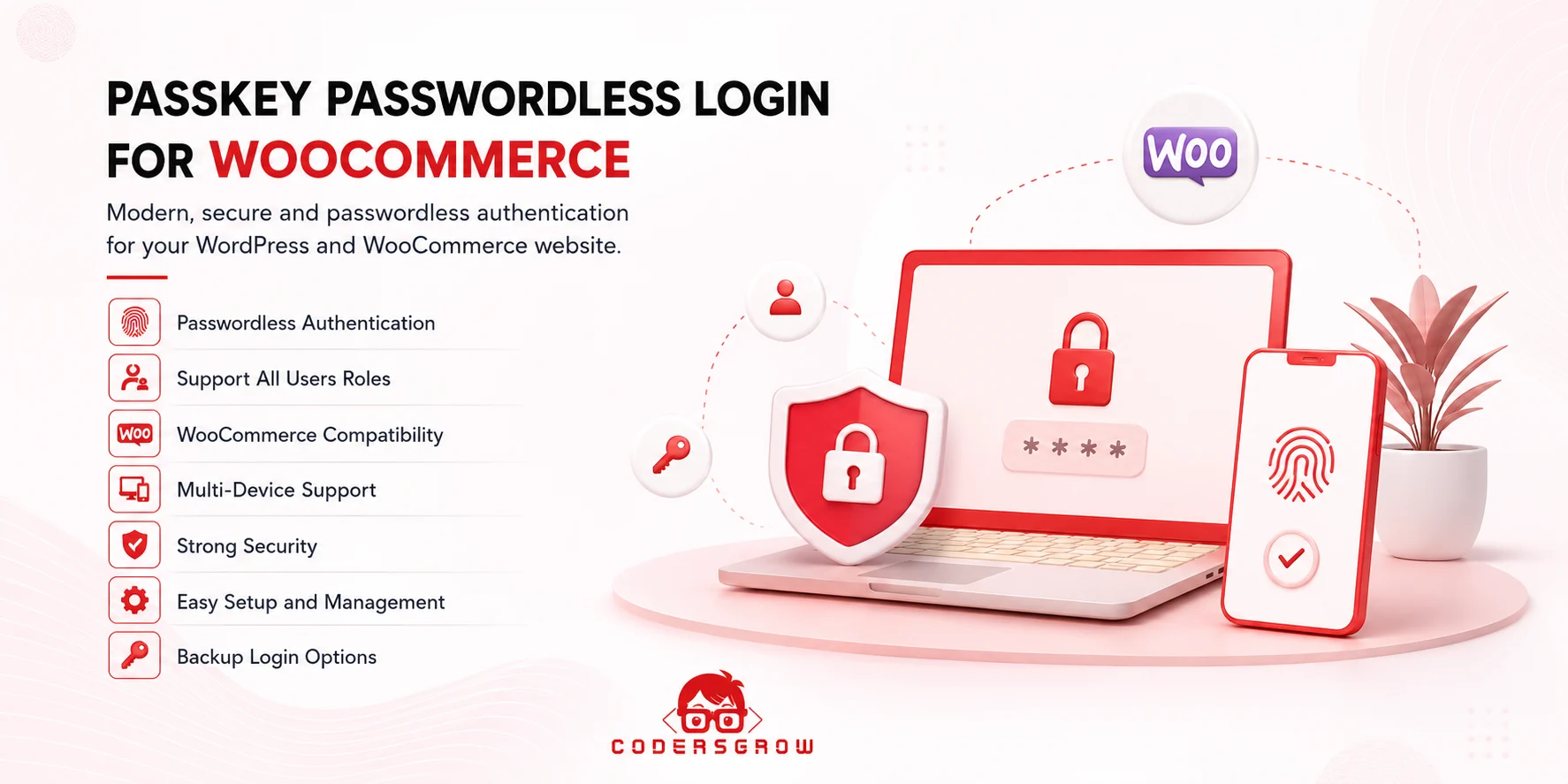
Modern Authentication. Faster Login. No Passwords.
Give your WordPress and WooCommerce users a faster, simpler, and more secure way to sign in.
Passkey Passwordless Login brings modern WebAuthn and FIDO2-based authentication to your website, allowing users to authenticate using the security methods already available on their devices, including fingerprint, Face ID, device PIN, and compatible security keys.
No passwords to remember. No complicated authentication process. Just a modern login experience designed for today’s web.
A Better Way to Log In
Traditional passwords can create unnecessary friction for your users. Forgotten passwords, password resets, reused credentials, and phishing attempts can make account access more difficult and less secure.
With Passkey Passwordless Login, users can authenticate using a passkey registered with their trusted device.
Passwordless Authentication
Users can sign in without manually entering their traditional password.
Device-Based Authentication
Users can authenticate using supported fingerprint sensors, facial recognition, device PINs, or compatible security keys.
Faster Account Access
Make returning to your website quicker and more convenient by reducing unnecessary password entry.
Modern Authentication Standards
Built around WebAuthn and FIDO2, the plugin uses modern public-key authentication technology designed for secure passwordless authentication.
Built for WordPress & WooCommerce
Passkey Passwordless Login integrates with the WordPress authentication system and provides a modern login experience for WooCommerce customers and WordPress users.
Whether you run an online store, membership website, customer portal, business website, or custom WordPress application, the plugin helps you introduce passwordless authentication without replacing your existing user system.
- WordPress user authentication
- WooCommerce customer login
- Support for multiple WordPress user roles
- Modern browser and device support
- Multi-device authentication
- Flexible fallback authentication
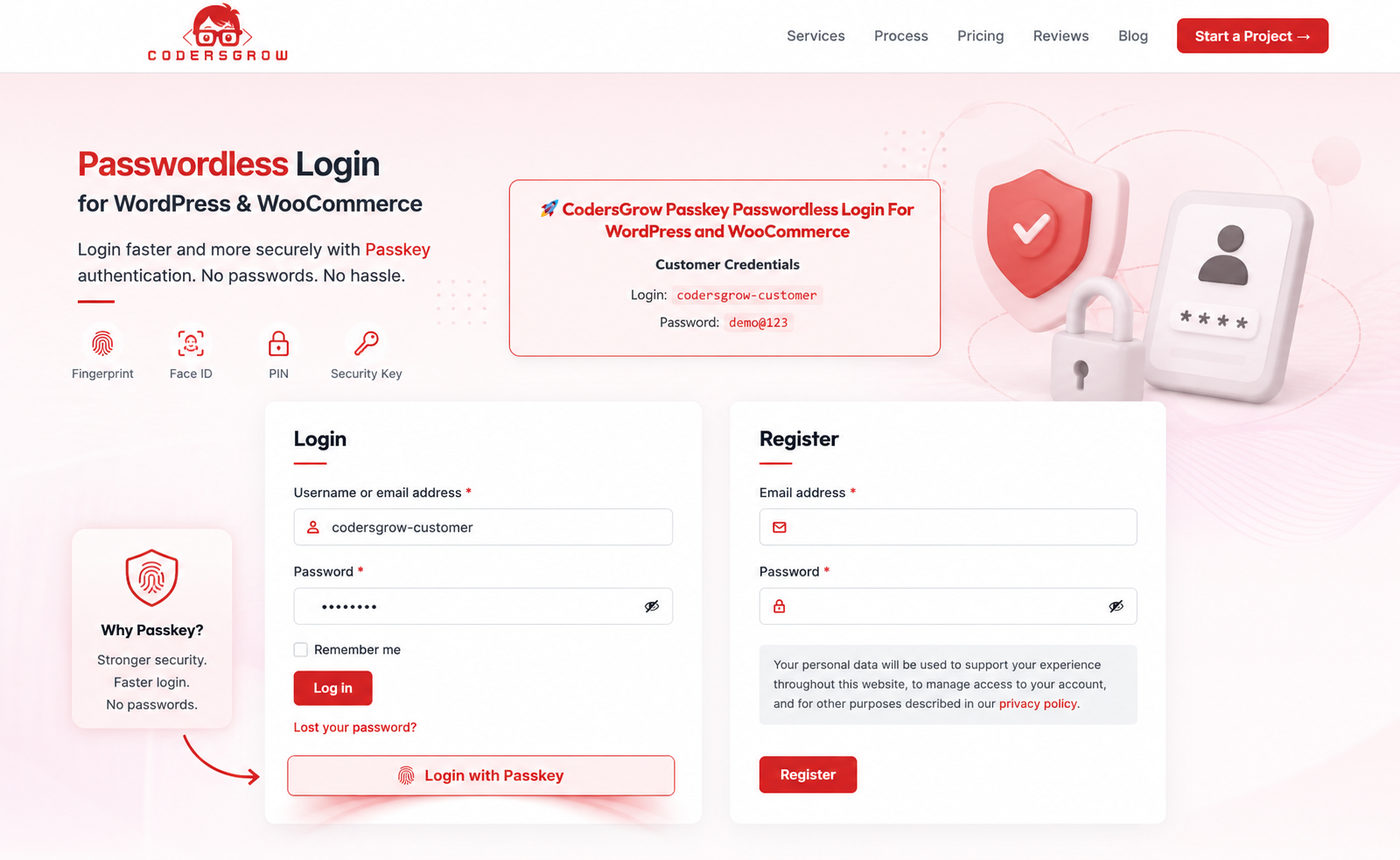
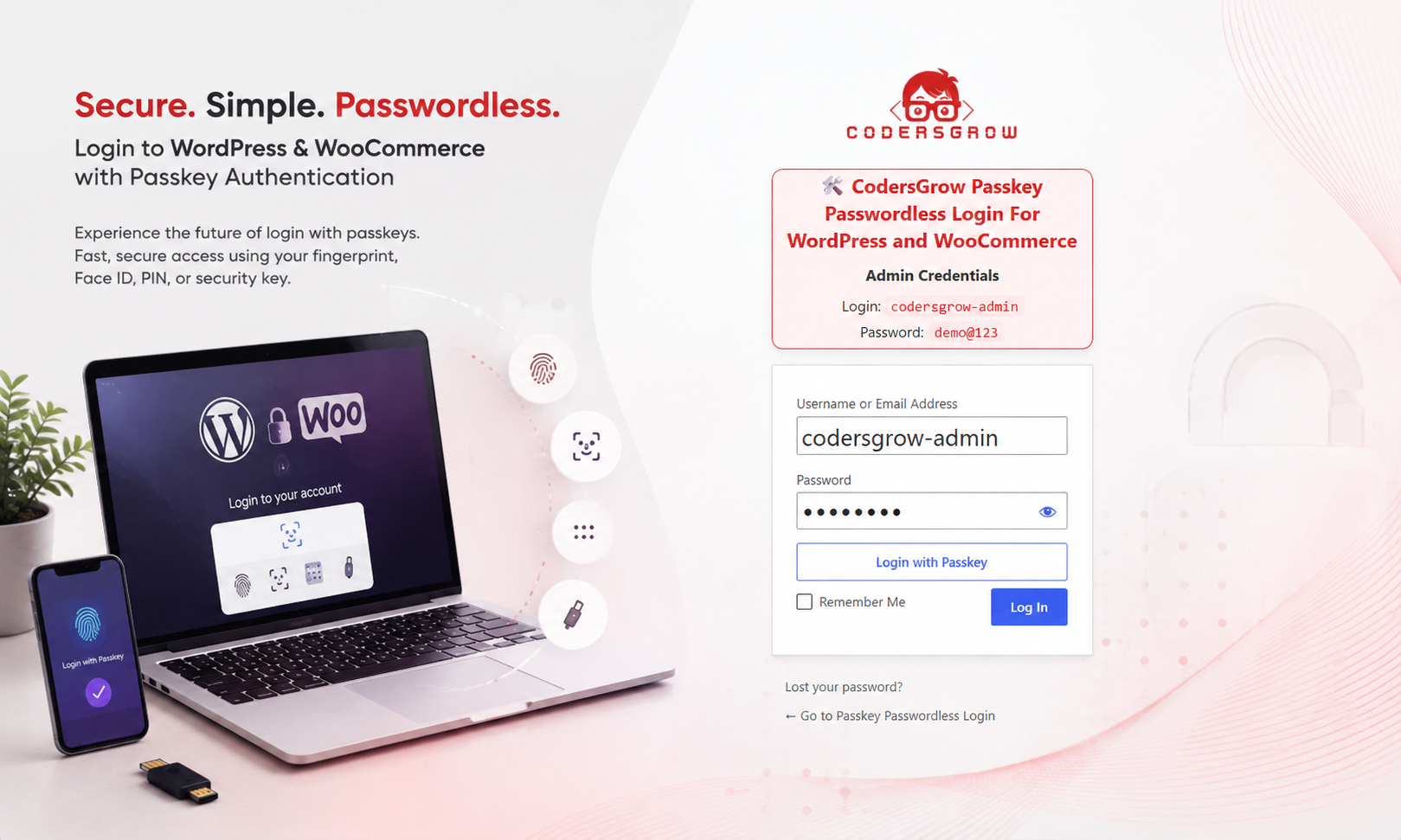
Make “Login with Passkey” the New Way to Sign In
The dedicated Login with Passkey option gives users a clear and convenient way to access their accounts without relying on traditional password entry.
Users simply select Login with Passkey, authenticate with their supported device, and continue directly to their account.
This creates a cleaner and more modern login experience while keeping passwordless authentication at the center of your website.
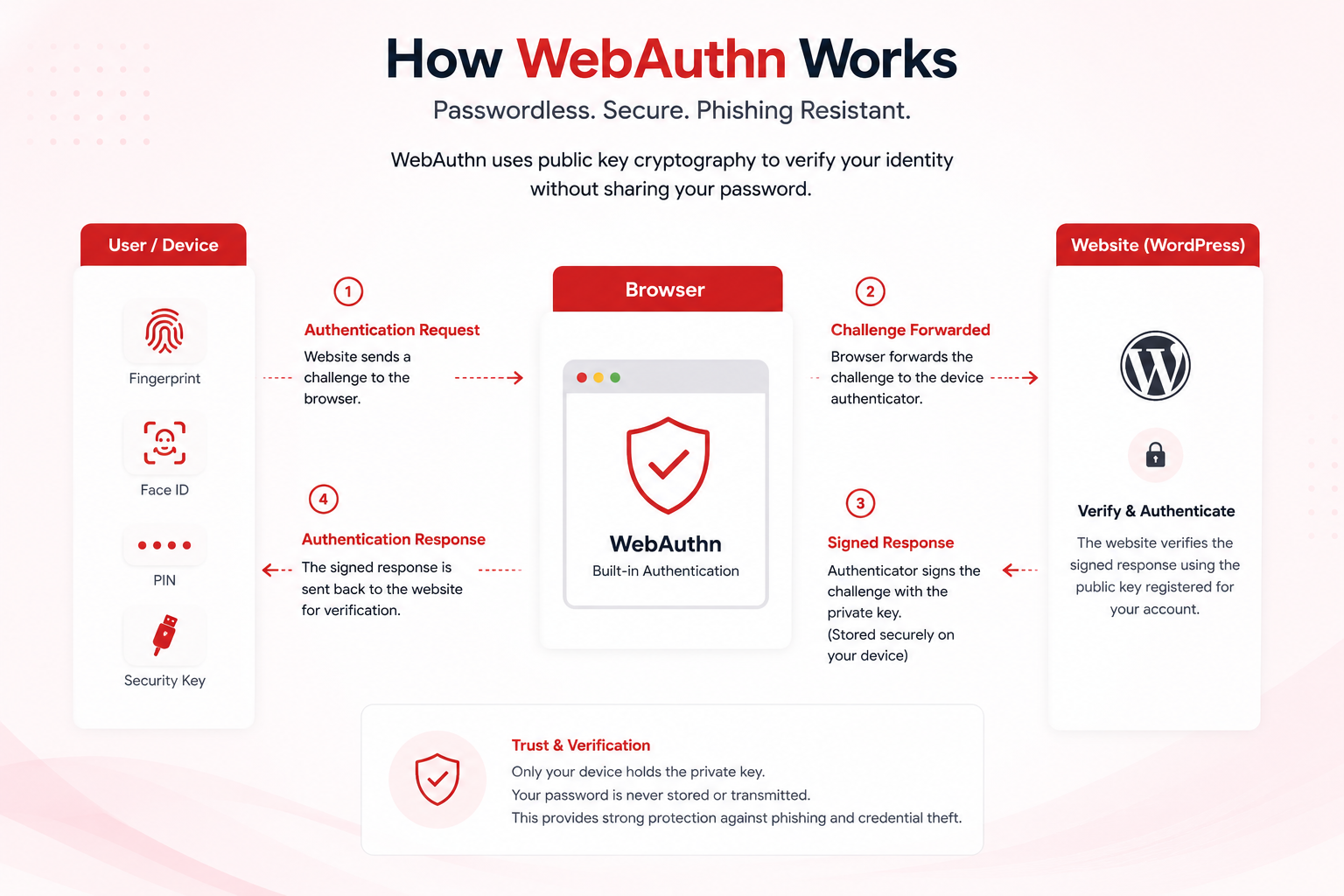
How Passkey Authentication Works
Passkeys use public-key cryptography to authenticate users without requiring the traditional password to be entered during the passkey authentication process.
1. Register a Passkey
The user registers a passkey using a supported device or authenticator.
2. Start Authentication
When the user selects Login with Passkey, the website initiates a secure authentication challenge.
3. Verify the User
The user’s device verifies their identity using fingerprint, Face ID, device PIN, or another supported authentication method.
4. Authenticate Securely
The authenticator signs the authentication challenge using the appropriate cryptographic credential.
5. Access the Account
The website verifies the authentication response and securely signs the user into their account.
WebAuthn & FIDO2 Authentication
Passkey Passwordless Login is built around established modern authentication technologies.
WebAuthn
Web Authentication API (WebAuthn) enables websites to authenticate users using public-key credentials associated with supported authenticators.
FIDO2
FIDO2 provides the standards and technologies behind modern passwordless authentication and helps protect authentication credentials against common phishing-based attacks.
Public-Key Cryptography
Instead of relying exclusively on traditional passwords, passkey authentication uses a cryptographic key pair for authentication.
Use the Authentication Method Your Users Already Trust
Depending on the device, operating system, browser, and authenticator, users can authenticate using a variety of methods.
| Authentication Method | Description |
|---|---|
| Fingerprint | Use supported fingerprint sensors on compatible devices. |
| Face ID / Facial Authentication | Authenticate using supported facial recognition systems. |
| Device PIN | Use the device’s supported local authentication mechanism. |
| Security Keys | Support compatible hardware security keys. |
Designed for WooCommerce Stores
A smooth authentication experience is especially important for ecommerce websites.
Customers frequently sign in to view orders, manage addresses, access downloads, update account information, and continue shopping.
Passkey Passwordless Login gives WooCommerce customers a modern authentication option while continuing to work with the existing WordPress account system.
Improve the Customer Experience
- Faster customer account access
- Passwordless authentication
- Device-based authentication
- Support for modern browsers and devices
- Works with existing customer accounts
- Suitable for returning customers
Flexible Backup Login Options
Passwordless authentication should not prevent users from accessing their accounts when their primary passkey is unavailable.
The plugin provides additional authentication options for supported fallback and recovery scenarios.
Email OTP
Allow users to authenticate using a one-time password delivered to their registered email address.
Backup Codes
Provide users with recovery codes that can be securely stored and used when their primary authentication method is unavailable.
These options provide additional flexibility while keeping passkey authentication as the primary modern login experience.
Passkey Management
Users can register and manage their passkeys through their WordPress account experience.
The plugin is designed to keep passkey management straightforward so users can add supported authentication devices without needing to understand the underlying authentication technology.
Administrators can manage the plugin from the WordPress dashboard without requiring complex external authentication infrastructure.
Support for WordPress User Roles
Passkey Passwordless Login can be used across different WordPress account types.
- Administrators
- Editors
- Authors
- Subscribers
- WooCommerce Customers
- Custom WordPress User Roles
This makes the plugin suitable for websites with multiple types of users and authentication requirements.
Security Without the Complexity
Passkey Passwordless Login is designed to reduce dependency on traditional password authentication while providing users with a familiar device-based authentication experience.
Designed to Help Reduce
- Password reuse
- Weak password practices
- Password-based brute-force attempts
- Credential theft
- Phishing-related credential exposure
- Unnecessary password reset requests
Passkeys use public-key cryptography and supported device authentication mechanisms to provide a modern alternative to traditional password-based login.
Developer-Friendly Architecture
Passkey Passwordless Login is built with a clean and modular architecture designed for WordPress developers and custom implementations.
Developer Benefits
- WordPress-oriented architecture
- Modular implementation
- Clean code structure
- Extensible functionality
- WordPress user integration
- WooCommerce compatibility
- Suitable for custom authentication workflows
Whether you are building an ecommerce store, membership platform, customer portal, or custom WordPress application, the plugin provides a practical foundation for passwordless authentication.
Key Features
| Feature | Description |
|---|---|
| Passwordless Login | Allow users to authenticate without entering a traditional password. |
| Login with Passkey | Provide a dedicated passkey authentication option within the login experience. |
| WebAuthn Support | Use the Web Authentication API for modern public-key authentication. |
| FIDO2 Authentication | Built around modern FIDO2 authentication technologies. |
| Fingerprint Authentication | Support compatible fingerprint-based authentication. |
| Face Authentication | Use supported facial authentication methods. |
| Device PIN | Allow authentication using supported device PIN mechanisms. |
| Security Key Support | Support compatible hardware security keys. |
| WooCommerce Compatibility | Enhance authentication for WooCommerce customers and store users. |
| Multi-Device Support | Use supported passkey-enabled devices for authentication. |
| Email OTP | Provide an alternative one-time-password authentication method. |
| Backup Codes | Provide an additional recovery option for users. |
| Passkey Management | Allow users to register and manage their passkeys. |
| User Role Support | Suitable for different WordPress user roles and account types. |
| Easy Administration | Configure and manage the authentication experience from WordPress. |
Perfect for Different WordPress Websites
- WooCommerce Stores — Provide customers with faster account authentication.
- Membership Websites — Simplify member login and account access.
- Customer Portals — Make recurring account access more convenient.
- Business Websites — Introduce modern authentication for users.
- Online Communities — Reduce login friction for registered users.
- Subscription Platforms — Improve the experience for returning users.
- Custom WordPress Applications — Add modern passwordless authentication to custom workflows.
Why Choose Passkey Passwordless Login?
Faster Authentication
Let users authenticate using the device they already trust instead of remembering another password.
Less Password Friction
Reduce password entry, forgotten passwords, and unnecessary password reset flows.
Modern Authentication
Bring WebAuthn and passkey-based authentication directly to your WordPress website.
Better WooCommerce Experience
Give customers a smoother way to access their accounts and return to your store.
Flexible Recovery
Provide email OTP and backup codes as additional authentication and recovery options.
Easy to Manage
Manage the plugin through the WordPress dashboard without requiring complex external authentication infrastructure.
Upgrade Your WordPress Login Experience
Passwords have been the standard authentication method for decades. Passkeys provide a modern alternative built around the devices users already trust.
With Passkey Passwordless Login, you can bring passwordless authentication to your WordPress and WooCommerce website while giving users a simple, convenient, and modern way to access their accounts.
Make “Login with Passkey” the New Way to Sign In
Modern authentication. Faster login. No passwords.
Give your users a better way to access your WordPress or WooCommerce website with Passkey Passwordless Login.
Need Help?
If you need help with installation, configuration, or setup, our support team is ready to assist you.
Support:
Create a Support Ticket
Have pre-sales questions or need a custom integration?
Sales & Custom Solutions:
Discuss With Our Experts





Reviews
There are no reviews yet.