
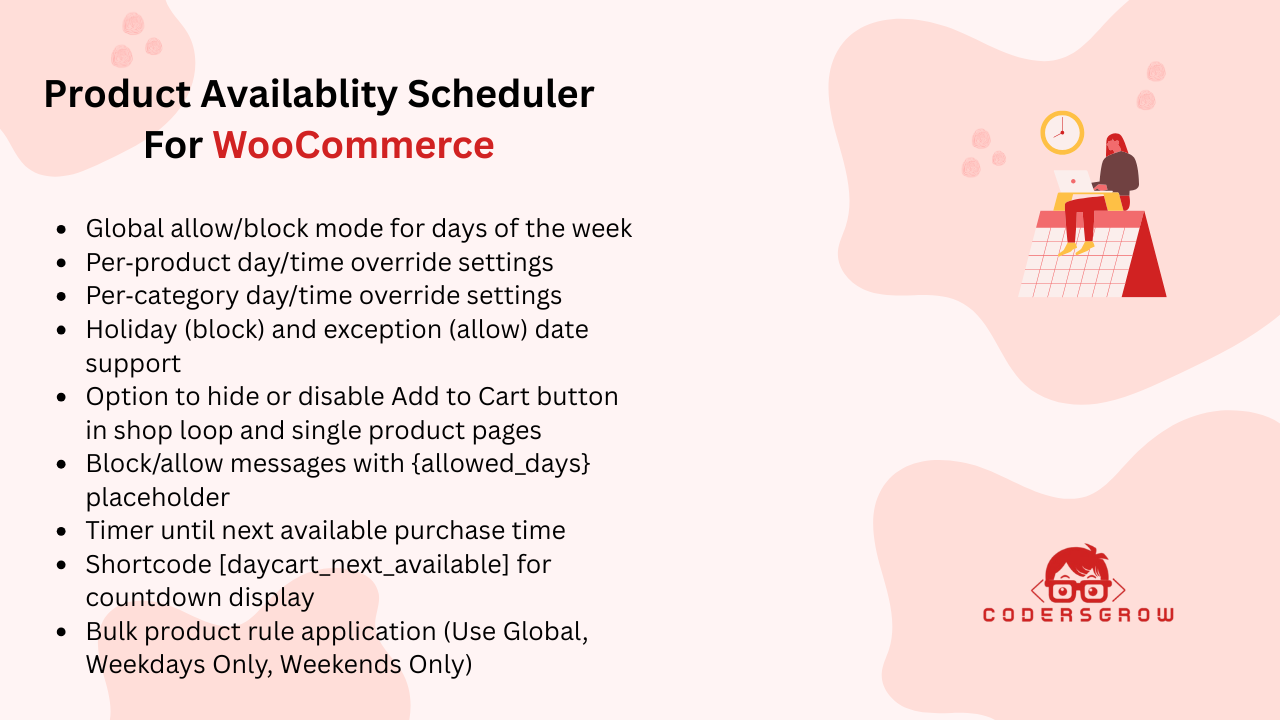
Whether you run a restaurant, seasonal store, wholesale shop, or a global WooCommerce business, controlling product availability by date is essential for smooth operations and a better customer experience.
In this guide, you’ll learn how to schedule WooCommerce product availability by date, why it matters, and how to manage it efficiently without using heavy booking plugins.
Why WooCommerce Product Availability by Date Matters
By default, WooCommerce products are available 24/7.
For many businesses, this creates problems such as:
- Orders placed outside business hours
- Seasonal products being purchased year-round
- Customers ordering during holidays or closures
- Region-specific compliance issues
Date-based availability solves these problems by defining when products can and cannot be purchased.
How WooCommerce Product Availability by Date Works
Using a product availability scheduler, WooCommerce checks the current date (and optionally time, location, and user role) before allowing a purchase.
If the product falls outside the allowed schedule:
- Add to Cart can be disabled or hidden
- Custom messages are shown
- Countdown timers can display the next available date
You can disable products using availability rules in product availibility scheduler.
Global Product Availability by Date
Global rules apply date restrictions across your entire WooCommerce store.
What You Can Do
- Set a start and end date for store-wide availability
- Allow or block purchases on selected weekdays
- Define optional time windows
- Apply rules indefinitely or for campaigns
Best Use Cases
- Festival sales
- Seasonal promotions
- Temporary store shutdowns
- Limited-time product launches
Holiday & Exception Date Scheduling
Not all dates are equal.
With holiday and exception rules, you can:
- Block specific dates like public holidays
- Force-allow special sale days even if global rules block them
This is perfect for managing flash sales, festive offers, or maintenance days.
Product-Wise Availability by Date in WooCommerce
Sometimes global rules aren’t enough.
With product-level scheduling, each product can have:
- Its own start and end date
- Day-specific availability
- Custom time windows
- Country-based restrictions
- User-role-based access
This is ideal for:
- Event products
- Seasonal collections
- Wholesale-only items
Category-Wise Availability by Date
Category-based scheduling allows you to control multiple products at once.
Examples
- Weekend-only product categories
- Seasonal menus
- Time-based discount collections
Once configured, products in the category automatically follow the defined date rules.
Bulk Availability Rule Application
Managing large catalogs manually is time-consuming.
With bulk rule application, you can:
- Apply global rules to multiple products
- Restrict products to weekdays or weekends
- Update availability with just a few clicks
This saves time and keeps scheduling consistent across your store.
Customer Experience When Products Are Unavailable
Clear communication is critical.
When products are unavailable, you can:
- Disable Add to Cart
- Show custom messages
- Display availability tooltips
- Show countdown timers until the next available date
This transparency improves conversions and reduces support queries.
Who Needs WooCommerce Product Availability by Date?
This feature is perfect for:
- 🍽️ Restaurants & food delivery stores
- 🛒 Wholesale & B2B stores
- 🌍 Global WooCommerce businesses
- 🎉 Seasonal and event-based stores
- ⏰ Time-restricted product sales
Best Practices for Scheduling Product Availability
- Always test rules on staging
- Use clear custom messages
- Combine date rules with time and geo-rules
- Plan holidays and exceptions in advance
- Use countdown timers to increase urgency
Booking plugin alternative for WooCommerce
Product Availability Scheduler by CodersGrow is booking plugin alternative for WooCommerce.
Final Thoughts
WooCommerce product availability by date gives you full control over when products can be purchased. Instead of relying on complex booking systems, availability scheduling offers a lightweight, flexible, and scalable solution for modern WooCommerce stores.
If your business depends on timing, seasons, or access control, scheduling product availability isn’t optional — it’s essential.
👉 Take full control of your WooCommerce store with the Product Availability Scheduler by CodersGrow.
FAQs
Q: Can I make products available only on specific dates?
Yes, you can define start and end dates for products or global rules.
Q: Does this work with variable products?
Yes, availability rules apply to both simple and variable products.
Q: Can customers see when a product will be available again?
Yes, countdown timers and custom messages can be displayed.