

Running a WooCommerce store means you’re always on call. A new order comes in, stock runs low, or a cart gets abandoned — and you need to know about it instantly. Most store owners end up refreshing their WordPress dashboard every few minutes just to stay on top of things.
NotifyWoo changes that completely. It’s a free WordPress plugin that connects your WooCommerce store to Telegram, WhatsApp, and Email — delivering real-time alerts and letting you manage orders directly from the messaging apps you already use, no extra login required.
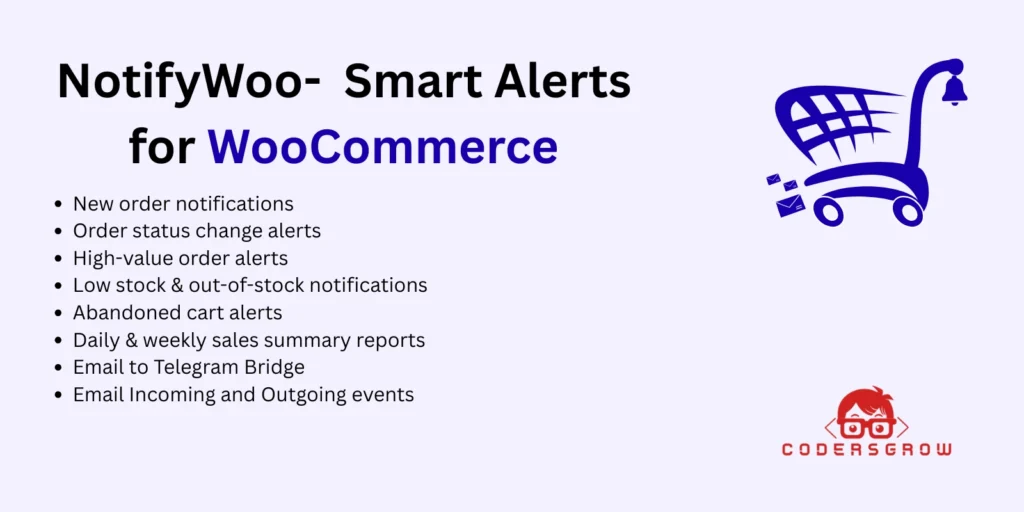
What Is NotifyWoo?
NotifyWoo is a free, open-source WooCommerce plugin built by CodersGrow. It acts as a bridge between your WooCommerce store and your preferred communication channels:
Telegram – Interactive bot with real-time alerts and inline management buttons
WhatsApp – Official Cloud API integration for order and cart notifications
Email – Automated IMAP polling and a smart Email Bot for store queries
Unlike basic notification plugins that just send you a one-way email, NotifyWoo is fully interactive. You can reply to customers, update stock levels, mark orders complete, and pull sales reports — all without opening a browser.
Key Features of NotifyWoo
Telegram Notifications & Management
The Telegram integration is NotifyWoo’s most powerful feature. Here’s what you get:
- Real-time alerts for new orders, order status changes, low stock, and abandoned carts.
- Inline action buttons to mark orders as Processing, Completed, or Cancelled.
- Refund processing directly from Telegram.
- Customer review notifications with Approve, Spam, and Trash buttons.
- Persistent Main Menu keyboard for one-tap navigation on mobile.
You can also query your store with natural-language commands:
| Command | What it Does |
| /start | Opens the bot menu with a persistent navigation keyboard |
| /stats | View Today, Yesterday, Weekly, and Monthly sales summaries |
| /recent | Instantly see your last 5 orders in a single clean message |
| product [name] | Search any product and update its price or stock |
| order [ID] | Look up a specific order and take action on it |
| user [id/name/email] | Search and view customer details |
Email Bot with IMAP Polling
The Email Bot turns your inbox into a store management interface. Simply send an email with a query like “product trainers” or “order 1042” and NotifyWoo will email the results straight back to you — automatically.
Only pre-approved administrator email addresses can send queries, so your store data stays secure.
Email-to-Telegram Bridge
This feature alone makes NotifyWoo worth installing for any store handling customer support emails. Here’s the workflow:
- A customer support email arrives in your inbox.
- NotifyWoo detects it via IMAP polling (every 5 minutes, or instantly via the Poll Now button).
- The email is forwarded to your Telegram chat — with the sender’s address, subject, and message preview.
- You tap “Reply to Email” in Telegram, type your reply, and it’s sent back to the customer as an email.
WhatsApp Cloud API Integration
NotifyWoo uses the official WhatsApp Business Cloud API — not unofficial workarounds — for reliable message delivery. It supports order alerts and abandoned cart notifications via pre-approved WhatsApp message templates. The free tier covers up to 1,000 conversations per month, making it accessible for most small stores.
Daily & Weekly Sales Reports
Automated sales summaries are pushed to all your active channels (Telegram, WhatsApp, Email) on a daily and weekly schedule. You can also pull on-demand reports at any time using the /stats command in Telegram.
How to Set Up NotifyWoo
Installation
- Go to WordPress Admin > Plugins > Add New.
- Click Upload Plugin and upload the notifywoo.zip file.
- Click Activate Plugin.
Telegram Setup
- Open Telegram and search for @BotFather.
- Type /newbot and follow the prompts to create a bot.
- Copy the bot token provided by BotFather.
- Go to NotifyWoo Settings > Telegram, paste the token, and copy the Webhook URL into your Telegram bot settings.
Email Bot Setup
- In NotifyWoo Settings > Email, enable Inbound Email Fetching.
- Enter your IMAP credentials (server, port, username, and App Password for Gmail).
- Add your authorised administrator email addresses.
- Enable Custom SMTP settings for reliable outgoing replies.
WhatsApp Setup
- Create a Meta for Developers account and set up a WhatsApp Business Cloud API app.
- Copy your Phone Number ID and Access Token.
- Paste both into NotifyWoo Settings > WhatsApp.
Who Is NotifyWoo For?
NotifyWoo is a strong fit for:
- Solo store owners who want full visibility without being glued to the WordPress dashboard.
- Small teams who need multiple people receiving and acting on order updates simultaneously.
- Store managers handling customer support who will benefit from the Email-to-Telegram bridge.
- Any WooCommerce store looking to reduce the time spent logging in just to check what’s happening.
Frequently Asked Questions
Yes. NotifyWoo supports any IMAP-enabled inbox, including Gmail. For Gmail, you’ll need to use an App Password rather than your regular login password.
All Telegram commands are restricted to your configured Admin Chat IDs, and the Email Bot only responds to pre-approved admin email addresses. No data is sent to third-party servers beyond the official Telegram and Meta APIs.
NotifyWoo requires WordPress 6.0+, PHP 7.4+, and the PHP IMAP extension enabled for the Email Bot features. Most managed WordPress hosts support this by default.
Yes. NotifyWoo automatically detects abandoned carts and sends alerts to all configured channels, helping you follow up and recover lost sales without manual monitoring.
Yes. NotifyWoo automatically shares daily and weekly report of your store.
Most WooCommerce notification plugins stop at sending you an email. NotifyWoo goes several steps further — giving you a fully interactive store management interface inside the messaging apps you use every day.
Whether you want instant order alerts on Telegram, WhatsApp notifications for abandoned carts, or the ability to reply to customer support emails without leaving your phone, NotifyWoo covers it all — for free.
If you’re running a WooCommerce store and haven’t tried it yet, it takes under 10 minutes to set up. Give it a go.