Finding the best woocommerce email customizer is one of the most effective steps you can take to upgrade customer communication, reinforce your brand identity, and generate repeat orders. Default WooCommerce transactional emails are notorious for their outdated purple headers, plain tabular typography, and lack of marketing flexibility. When your order confirmations and shipping receipts look generic, you miss valuable opportunities to engage buyers during their peak excitement.
According to email marketing benchmarks published by Litmus on transactional email engagement, post-purchase transactional emails achieve open rates exceeding 65%—more than triple the engagement of standard promotional campaigns. By utilizing a modern visual email customizer, store owners transform routine receipts into branded, revenue-generating customer touchpoints.
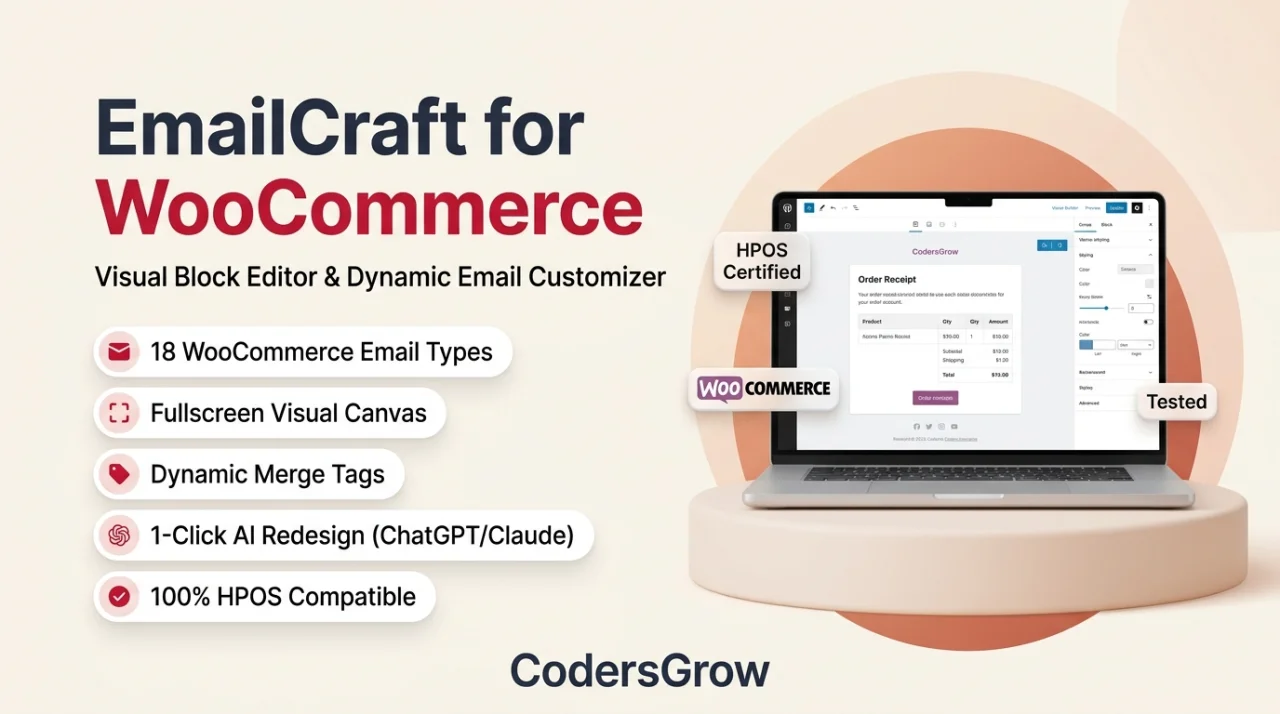
Why Default WooCommerce Email Templates Hold Your Store Back
WooCommerce includes basic email templates for core customer milestones such as Order Processing, Completed, Customer Invoice, and Reset Password. However, customizing these built-in templates without specialized tools requires editing complex PHP template files inside your child theme.
This traditional coding approach causes multiple operational headaches:
- Any WooCommerce core update can override your customized template files or break email formatting.
- Adding dynamic marketing elements such as upsell product carousels, customer review links, or discount coupon boxes requires custom PHP hooks.
- Previewing responsive email layouts across desktop and mobile devices requires repeated test orders and manual inbox checks.
Evaluation Criteria: How We Compared the Top Email Customizers
To identify the best woocommerce email customizer, we evaluated the leading extensions across six critical benchmarks:
- Editor Architecture: Does the plugin use an intuitive visual block builder, or does it force users into a rigid Customizer sidebar?
- Template Variety: Are pre-built, responsive design templates included for standard business verticals such as fashion, electronics, and digital goods?
- Dynamic Data Placeholders: How easily can merchants insert dynamic order details, customer names, shipping tracking links, and custom checkout fields?
- Marketing Modules: Does the builder support post-purchase product recommendations, dynamic discount coupons, and social media channels?
- Performance and Compatibility: Is the extension certified compatible with WooCommerce High-Performance Order Storage (HPOS) and multi-currency plugins?
- Pricing Structure: Is the solution available as an affordable self-hosted license without recurring monthly transaction taxes?
1. EmailCraft – Visual Email Customizer for WooCommerce (Top Pick)
Developed by CodersGrow, EmailCraft is a modern, block-based email design environment built specifically for store owners who want complete creative freedom without touching code. Unlike legacy customizers that restrict design tweaks to font colors and basic logo uploads, EmailCraft functions like a full visual page builder inside your WordPress admin.

Key Features of EmailCraft:
- Modern Visual Block Architecture: Drag and drop multi-column layouts, promotional hero banners, social buttons, product image grids, and personalized signatures effortlessly.
- 1-Click AI Email Assistant: Rewrite subject lines, polish header copy, or generate seasonal greetings using built-in artificial intelligence prompts.
- Dynamic Cross-Sell & Upsell Blocks: Automatically recommend matching products based on the items purchased in the current order.
- Live Interactive Sandbox: Test desktop, tablet, and mobile previews instantly, or send live HTML test emails to your inbox with a single click.
- HPOS & Multisite Ready: Fully optimized for WooCommerce High-Performance Order Storage with zero database bloat.
For a detailed walkthrough on setting up your first branded layout, read our step-by-step WooCommerce email customization guide.
2. YayMail – WooCommerce Email Customizer
YayMail is a popular drag-and-drop email builder that replaces standard templates with an Elementor-style left sidebar panel. It offers a solid collection of custom widgets for order items, shipping addresses, and billing information.
Strengths and Limitations:
YayMail provides clean multi-column layouts and supports third-party order tracking plugins. However, advanced integrations (such as custom checkout fields and third-party shipment tracking) require purchasing expensive separate add-on packs, which quickly inflates total setup costs for growing shops.
3. Kadence WooCommerce Email Designer
Kadence Email Designer takes a different approach by utilizing the native WordPress Customizer interface. Store owners adjust colors, typography, background borders, and header logos using standard sidebar controls.
Strengths and Limitations:
Because Kadence leverages the core WordPress Customizer, it is lightweight and free to use. However, it lacks drag-and-drop flexibility. You cannot add custom promotional blocks, rearrange column grids, or insert conditional discount banners, making it best suited for basic cosmetic adjustments.
4. Flycart Email Customizer Plus for WooCommerce
Flycart Email Customizer Plus provides a drag-and-drop canvas designed for creating clean transactional emails. It includes pre-made template designs and supports dynamic shortcodes for order variables.
Strengths and Limitations:
Flycart offers reliable template rendering across major email clients such as Gmail and Outlook. On the downside, its interface can feel slower when handling complex multi-item tables, and recurring license renewals are required for continuous updates.
Head-to-Head Comparison Table
To help you choose the best woocommerce email customizer for your specific business requirements, here is a side-by-side feature comparison:
| Feature | EmailCraft (CodersGrow) | YayMail | Kadence Email Designer |
|---|---|---|---|
| Builder Interface | Visual Block Builder | Elementor-Style Sidebar | Native WP Customizer |
| AI Copy Assistant | Included | Not Available | Not Available |
| Dynamic Cross-Sells | Built-in Block | Requires Pro Addon | Not Available |
| HPOS Certified | 100% Certified | Compatible | Compatible |
Frequently Asked Questions
Will customized email templates break during WooCommerce updates?
No. Modern email customizers like EmailCraft hook into WooCommerce template filters rather than modifying core PHP files, ensuring complete stability across major WordPress and WooCommerce releases.
Do customized emails work reliably on Gmail, Apple Mail, and Outlook?
Yes. Visual email builders automatically compile your layouts into standardized, table-based HTML with inline CSS styling, ensuring pixel-perfect rendering across desktop, mobile, and webmail clients.
Can I customize emails for custom order statuses or third-party plugins?
Yes. EmailCraft supports all native WooCommerce transactional triggers and integrates smoothly with custom order statuses created by popular workflow extensions.
Final Verdict: Which Email Customizer Should You Choose?
Selecting the best woocommerce email customizer comes down to the level of branding and marketing control you require. If you simply want to adjust font colors, Kadence is a functional basic tool. However, if your goal is to build stunning responsive layouts, automate post-purchase upsells, and turn standard order confirmations into repeat sales drivers, EmailCraft is the definitive top recommendation.
Get EmailCraft for WooCommerce →
Explore the Live Visual Demo