Learning how to manage rental inventory in WooCommerce is what separates an organized, scalable equipment hire business from one paralyzed by lost gear, maintenance blind spots, and customer fulfillment delays. In retail e-commerce, inventory counts strictly tick down as items sell; in rentals, inventory flows in a continuous cycle of dispatch, on-site hire, return inspection, maintenance servicing, and restocking.
In this guide, we break down how to manage rental inventory in WooCommerce with serialized asset tracking, fleet pooling, and operational status dashboards powered by RentEngine – Rental & Booking Manager for WooCommerce.

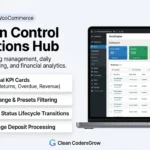
Admin Operations Dashboard • Centralized fleet tracking, pickup schedules, and return matrix
1. What Problem It Solves
Attempting to manage rental assets using core WooCommerce stock quantities creates severe blind spots:
- Static Stock Blindness: Core WooCommerce only tracks how many units exist right now, not how many are available next Friday.
- No Maintenance Status Tracking: Gear undergoing repair or routine safety testing cannot be temporarily taken offline without deleting the product.
- Missing Return Checklists: Warehouse staff have no centralized screen showing which equipment items are due back today.
RentEngine provides a dedicated rental inventory operations hub designed specifically for cyclical asset lifecycles.
2. Who It Is For
Cyclical rental inventory management is essential for:
- Equipment & Tool Hire Depots: Managing multi-unit fleets with individual serial numbers.
- Camera & Cine Rental Houses: Tracking lenses, bodies, and accessories across concurrent production hires.
- Event & Furniture Hire Companies: Managing hundreds of chairs, tables, and lighting rigs across simultaneous weekend galas.
3. How It Works: The 4-Pillar Inventory Workflow
Pillar 1: Fleet Pooling & Date-Specific Availability
Define total fleet capacity (e.g. 10 identical generators). RentEngine tracks reservations across overlapping date spans, automatically decrementing available stock only for the specific days an item is hired.
Pillar 2: Serialized Asset Identification
Assign specific serial numbers and barcode tags to individual assets so warehouse technicians can verify the exact unit dispatched and returned.
Pillar 3: Maintenance Turnover Windows
Automate turnaround buffers between hires (e.g. 4 hours or 1 day) so equipment is never dispatched without proper inspection, cleaning, and testing.

Asset Lifecycle Automation • Automated maintenance windows and return status tracking
Pillar 4: Centralized Operations Dashboard
Monitor pickups, returns, and overdue rentals from a unified operational command center with real-time status badges (Booked, Dispatched, In Use, Returned, Maintenance).
4. Features of RentEngine’s Rental Inventory Manager
- HPOS Sub-Millisecond Speed: Relational database architecture delivers instant inventory checks even across thousands of bookings.
- Overdue Return Alerts: Visual highlighting in the admin console when a customer fails to return equipment on time.
- Turnover Buffer Automation: Blocks maintenance windows automatically without manual staff intervention.
- Multi-Location Fleet Tracking: Assign assets to specific warehouse or depot locations.
5. Real-World Inventory Case Study
A regional tool hire depot with over 400 pieces of construction equipment eliminated manual scheduling whiteboards using RentEngine. Asset utilization improved by 28% because the team gained instant visibility into returned equipment ready for re-hire.
6. Pricing: Pure Software Independence
Never pay monthly SaaS fees or percentage commissions to manage your inventory. RentEngine offers full ownership on a clean one-time license.
7. Live Interactive Demo
Experience the admin operations dashboard and booking manager on our RentEngine Live Demo Sandbox.
8. Documentation & Setup Walkthroughs
Read comprehensive guides on inventory setups and warehouse workflows on the RentEngine Documentation Hub.
9. Verified Customer Reviews
“Managing our equipment inventory used to take two full-time employees tracking spreadsheets. RentEngine automated the entire inventory availability process.”
— Keith Reynolds, Summit Tool Hire
10. Frequently Asked Questions (FAQs)
Can I mark a specific equipment unit as “In Maintenance”?
Yes. Store managers can place any equipment unit into maintenance status, which temporarily reduces available inventory without affecting existing bookings.
Does RentEngine support barcode scanning for equipment check-in?
Yes. Serial numbers and order IDs are searchable in the admin operations dashboard for fast check-in and check-out scanning.
11. Changelog
v1.0.0 (September 2026)
- Centralized admin operations dashboard and fleet matrix.
- Date-specific multi-unit inventory tracking.
- Automated turnover buffers and maintenance status controls.
12. Dedicated Developer Support
Have questions about inventory architecture? Connect with our team at the CodersGrow Support Desk.