

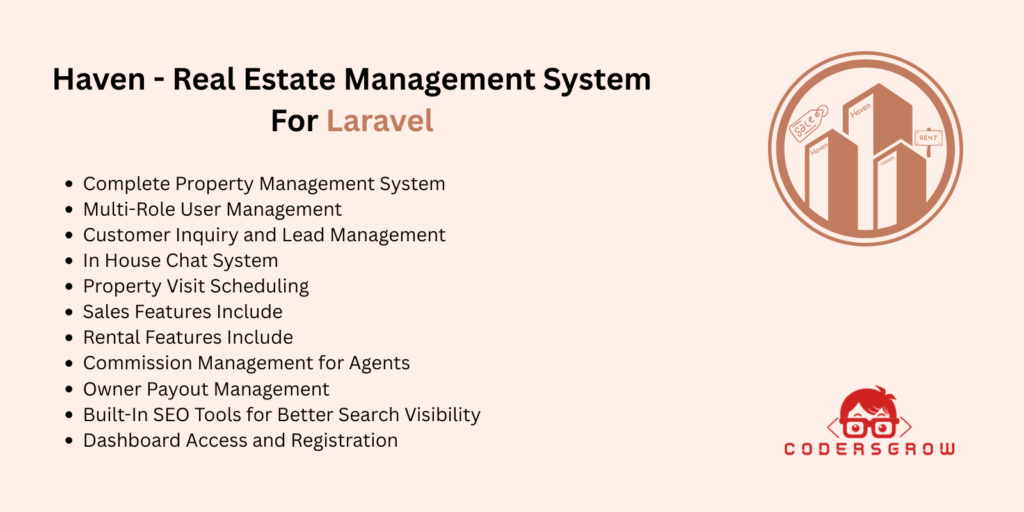
If you are looking for a Real Estate Management System, then Haven- Real Estate Management System is a complete solution for you. It is a powerful and ready-to-use real estate management system built with Laravel 12 that helps you manage property listings, customer inquiries, property visits, sales, rentals, agents, owners, commissions, and payments from one platform.
Whether you want to build a real estate website, property listing portal, property marketplace, or a complete property management platform, Haven- Real Estate Management System gives you everything you need without building the project from scratch.
This project is built with a custom package-based modular architecture, which makes the code clean, organized, scalable, and easy to customize for developers.
Table of Contents
- What is Haven- Real Estate Management System?
- Why Choose Haven- Real Estate Management System?
- Main Features of Haven- Real Estate Management System
- User Roles Included in the Platform
- Property Management Features
- Lead and Inquiry Management
- Real-Time Chat and Visit Scheduling
- Sales and Rental Workflow
- Commission and Owner Payout Management
- Admin Controls and SEO Tools
- Who Should Use This Project?
- Why This Laravel 12 Real Estate Management System is Special
- Benefits for Developers
- Final Thoughts
What is Haven- Real Estate Management System?
Haven- Real Estate Management System is a complete and modern Real Estate Management System designed to help businesses and developers create a professional real estate platform.
This project is made for:
- Real estate businesses
- Property dealers
- Real estate agencies
- Startups launching property portals
- Developers selling Laravel products
- Clients who need a ready-made real estate solution
Instead of spending months building a property platform from zero, you can use Haven- Real Estate Management System to launch faster and save development time.
Why Choose Haven- Real Estate Management System?
There are many real estate scripts available, but Haven- Real Estate Management System is different because it combines all important real estate workflows in one platform.
With this Laravel 12 Real Estate Management System, you can manage:
- Property listings
- Customer inquiries
- Property visit requests
- Sales workflow
- Rental workflow
- Agent commission tracking
- Owner payout management
- Admin controls
- SEO settings
This means you do not need multiple tools or extra custom development for core real estate features.
Main Features of Haven- Real Estate Management System
1. Complete Property Management System
One of the biggest strengths of Haven- Real Estate Management System is its full property management feature.
Admins, Agents, and Owners can:
- Create property listings
- Add full property details
- Upload multiple property images
- Add property amenities and specifications
- Set property type as For Sale or For Rent
- Edit and update properties easily
- Manage listing status
- Wait for admin approval before going live
This makes it easy to handle both property sales and property rentals from one platform.
2. Multi-Role User Management
This Laravel 12 Real Estate Management System includes 4 important user roles, making it suitable for real business use.
Included User Roles
- Admin – Full control over the complete system
- Agent – Manage properties, leads, visits, and commissions
- Owner – Add their own properties and track earnings
- Customer – Search properties, send inquiries, request visits, and save favorites
This role-based system keeps the platform secure and easy to manage.
3. Customer Inquiry and Lead Management
A real estate business needs a good lead system, and Haven- Real Estate Management System includes that with a built-in inquiry and lead management system.
Customers can:
- Send inquiries on properties
- Ask questions directly
- Show interest in a property
Admin and Agents can:
- View all leads
- Assign leads to agents
- Add notes for follow-up
- Track lead progress
- Manage customer communication better
This feature helps improve lead handling and gives you a simple CRM-like workflow inside the platform.
4. Real-Time Chat System
Haven- Real Estate Management System includes a real-time chat system between customer and agent for each property inquiry.
This is a very useful feature because it helps with:
- Faster customer response
- Better communication
- Higher engagement
- Better chances of property conversion
Admins can also monitor and manage the chat activity, which adds more control to the system.
5. Property Visit Scheduling
Customers can request property visits directly from the website.
This makes the platform more professional and user-friendly.
Agents and Admin can:
- Accept visit requests
- Reschedule visits
- Cancel appointments
- Mark visits as completed
- Manage the full visit workflow
For any real estate business, visit scheduling is an important feature, and this Laravel 12 Real Estate Management System handles it well.
Sales Workflow in Haven- Real Estate Management System
If you are running a property selling business, this project includes a complete sales management workflow.
Sales Features Include:
- Manage property bookings
- Track booking payments
- Monitor deal progress
- Handle deal closure
- Keep customer sales records
This makes it easier to manage every stage of the property selling process from one place.
Rental Workflow in Haven- Real Estate Management System
This project is not only for sales. It also includes a complete rental management workflow, which makes it more valuable than many basic real estate scripts.
Rental Features Include:
- Handle rental agreements
- Track monthly rent schedules
- Store rent payment history
- Manage rental records
- Support long-term rental processes
This is perfect for agencies or businesses that deal with both property sales and property rentals.
Commission Management for Agents
For agencies with multiple agents, commission tracking is very important.
Haven- Real Estate Management System includes built-in agent commission management.
Commission Features:
- Automatic commission calculation
- Commission history
- Easy tracking per deal
- Better financial transparency
This saves time and reduces manual work for admins.
Owner Payout Management
Property owners can also track their earnings and payouts through the platform.
Owner Payout Features:
- Owner payout tracking
- Earnings history
- Financial transparency
- Easy monitoring of payments
This creates more trust between owners and platform administrators.
Advanced Admin Controls
The Admin role in Haven- Real Estate Admin Workflow has powerful controls to manage the entire platform.
Admin Can Manage:
- Users and user roles
- Agent approvals
- Property approvals
- Payment settings
- System rates
- Notifications
- Site appearance
- Platform configuration
This gives complete control to the business owner or system administrator.
Advanced Agent Controls
The Agent role in Haven- Real Estate Agent Workflow has powerful controls to manage their entire real estate portfolio and client interactions.
Agent Can Manage:
- Personal property listings
- Client inquiries and leads
- Property visit requests
- Deals and bookings progress
- Earnings and commission tracking
- Direct client communications
- Public profile and branding
This gives complete control to the real estate professional to organize their workflow, close deals, and grow their business efficiently.
Built-In SEO Tools for Better Search Visibility
One of the most useful features of Haven is that it includes built-in SEO settings.
This is very important if you want your real estate website to rank better on search engines.
SEO Features Include:
- Meta title settings
- Meta description settings
- Sitemap management
- Robots.txt management
- SEO-friendly property pages
- Better indexing support
These features help you improve your website visibility and make the project more valuable for businesses.
Dashboard Access and Registration
The project includes different dashboards for different user roles.
Important URLs
- Admin Dashboard →
/dashboard - Customer / Agent Dashboard →
/customer/dashboard - User Registration →
/register
Users Can Register As
- Customer
- Agent
- Owner
Important: Agent accounts require admin approval before activation.
Who Should Use Haven?
This project is ideal for many types of users.
Best For:
- Real estate agencies
- Property dealers
- Property listing websites
- Real estate startups
- Rental property businesses
- Property marketplace businesses
- Developers selling Laravel projects
- Clients who need a complete real estate solution
If you want a ready-made Real Estate Management System, this project is a strong choice.
What Makes Haven Special?
There are many reasons why this project stands out.
Special Points of This Project
- Complete end-to-end real estate workflow
- Built with modern Laravel 12
- Custom package-based modular architecture
- Supports both sales and rentals
- Multi-role user system
- Built-in CRM and inquiry handling
- Real-time chat system
- Property visit scheduling
- Commission and payout tracking
- SEO tools included
- Easy to install and customize
Here is the complete SEO-optimized “Requirements & Installation” section, ready to copy-paste directly onto your page:
System Requirements for Haven – Laravel 12 Real Estate Management System
Before you install Haven Real Estate Management System, make sure your server meets the following minimum requirements.
Server Requirements:
- PHP 8.2 or higher
- MySQL 5.7 or higher (MySQL 8.x recommended)
- Composer 2.x
- Node.js 18.x or higher and NPM 9.x or higher
- Apache or Nginx web server
- PHP Extensions: BCMath, Ctype, cURL, DOM, Fileinfo, JSON, Mbstring, OpenSSL, PCRE, PDO, Tokenizer, XML
Recommended Hosting:
- VPS or Dedicated Server (minimum 1GB RAM)
- PHP 8.2+ enabled shared hosting (e.g. Hostinger, SiteGround)
How to Install Haven – Laravel 12 Real Estate Management System
Follow these steps to install and set up Haven Real Estate Management System on your local machine or live server.
Step 1: Extract or clone the project
Download the project and place the files inside your web server directory.
Windows (XAMPP):
C:\xampp\htdocs\real-estate
Linux / macOS:
/var/www/real-estate
Step 2: Install PHP dependencies
Open your terminal or command prompt inside the project root folder and run:
composer install --no-interaction --prefer-dist --optimize-autoloader
This will install all required Laravel 12 PHP packages and dependencies.
Step 3: Configure the environment file
Create the .env file:
On Linux / macOS:
cp .env.example .env
On Windows:
copy .env.example .env
Update your database credentials inside .env:
DB_CONNECTION=mysql
DB_HOST=127.0.0.1
DB_PORT=3306
DB_DATABASE=your_database_name
DB_USERNAME=your_username
DB_PASSWORD=your_password
Make sure you create the database manually in phpMyAdmin or MySQL Workbench before running the next steps.
Generate the application key:
php artisan key:generate
Step 4: Run database migrations and seeders
php artisan migrate --seed
This command will automatically create all database tables and populate:
- Default system settings
- User roles (Admin, Agent, Owner, Customer)
- Admin permissions
- Sample configuration data
Step 5: Create your admin account
php scripts/admin.php
Follow the prompts in your terminal and enter your admin name, email address, and password. Use these credentials to log in to the admin dashboard after installation.
Step 6: Install and build frontend assets
Install required Node.js packages:
npm install
Build the optimized production assets:
npm run build
Step 7: Finalize the installation
Publish vendor assets:
php artisan vendor:publish --tag=admin-public-assets --force
Create the storage symbolic link:
php artisan storage:link
Optimize application cache for better performance:
php artisan config:cache
php artisan route:cache
php artisan view:cache
Step 8: Start the development server
php artisan serve
Your Haven Real Estate Management System will now be available at:
http://localhost:8000
Dashboard Access After Installation
| Role | Dashboard URL |
|---|---|
| Admin | /dashboard |
| Customer / Agent | /customer/dashboard |
| Registration | /register |
Agent accounts require admin approval before they can log in.
Troubleshooting Common Installation Issues
500 Internal Server Error Check storage/logs/laravel.log for details. Make sure storage/ and bootstrap/cache/ folders have write permissions.
CSS or JS not loading Run npm run build again and confirm the public/build/ directory exists.
Database connection refused Verify your .env database credentials are correct and your MySQL server is running.
Class not found errors Run composer dump-autoload to regenerate the autoloader.
Need help? Contact the support team at [email protected] or open a ticket at https://support.codersgrow.com
Frequently asked questions
Q1. What is Haven Real Estate Management System?
Haven is a complete, ready-to-use Real Estate Management System built with Laravel 12. It helps real estate businesses, property dealers, and agencies manage property listings, customer inquiries, agent commissions, property visits, sales, rentals, and owner payouts from a single platform.
Instead of building a property management system from scratch, you can use Haven to launch your real estate website faster.
Q2. Which PHP version is required to run Haven?
Haven Real Estate Management System requires PHP 8.2 or higher. It is built on Laravel 12, which requires a modern PHP version for full compatibility. MySQL 5.7 or higher, Composer 2.x, and Node.js 18.x are also required.
Q3. Can I use Haven for both property sales and rentals?
Yes. Haven includes a complete sales workflow as well as a full rental management workflow in the same platform. You can manage property bookings, deal tracking, and payment records for sales, while also handling rental agreements, monthly rent schedules, and rent payment history for rental properties.
Q4. How many user roles does Haven support?
Haven includes four user roles: Admin, Agent, Owner, and Customer. The Admin has full control over the entire platform. Agents can manage properties, leads, visits, and commissions. Owners can add their own properties and track earnings. Customers can search properties, send inquiries, request visits, and save favorites. Agent accounts require admin approval before activation.
Q5. Does Haven include an agent commission management system?
Yes. Haven has a built-in agent commission management system that automatically calculates commissions per deal, maintains commission history, and gives admins full financial transparency over agent earnings. This saves time and removes the need for manual commission tracking.
Q6. Is Haven suitable for a multi-agent real estate agency?
Yes, Haven is specifically designed for real estate agencies with multiple agents. The platform supports agent registration, admin approval workflow, lead assignment to agents, commission tracking per agent, and role-based access control so each agent only sees what they need.
Q7. Does Haven have built-in SEO features?
Yes. Haven includes built-in SEO tools including meta title settings, meta description settings, sitemap management, robots.txt management, and SEO-friendly property pages. These features help your real estate website rank better on Google and other search engines without needing a separate SEO plugin.
Q8. Can customers chat directly with agents on Haven?
Yes. Haven includes a real-time chat system that allows customers and agents to communicate directly for each property inquiry. Admins can also monitor and manage all chat activity from the admin dashboard.
Q9. Is Haven built with a modular architecture?
Yes. Haven is built with a custom package-based modular architecture. This makes the codebase clean, organized, scalable, and easy to customize. Developers can extend or modify individual modules without affecting the rest of the system.
Q10. Where can I get support if I face issues installing Haven?
If you face any issues during or after installation, you can contact the support team at [email protected] or open a support ticket at https://support.codersgrow.com. The troubleshooting section on this page also covers the most common installation errors.