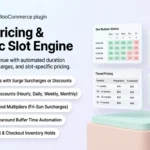
Knowing how to calculate WooCommerce rental pricing correctly is the single most critical factor in maximizing your store’s utilization rate and profitability. Unlike standard retail where an item has a static price tag, rental pricing is elastic and multidimensional: rates scale based on duration, peak weekend demand, custom time slots, and return buffers.
In this guide, we’ll teach you how to calculate WooCommerce rental pricing using dynamic tiered rules, duration discounts, and asset security deposits powered by RentEngine – Rental & Booking Manager for WooCommerce.

RentEngine Dynamic Pricing Rules • Automated tiered rates and weekend surcharges
1. What Problem It Solves
Rental stores that use flat-rate pricing suffer from two major revenue leaks:
- Unsold Inventory on Long Hires: If your daily rate is $50, a customer renting for 14 days faces a $700 quote, which often leads to cart abandonment if no duration discount applies.
- Underpriced High-Demand Periods: Peak weekend periods (Friday to Sunday) are leased at the same rate as quiet Tuesday mornings, leaving money on the table.
- Manual Price Adjustments: Calculating custom multi-day quotes manually in email threads wastes dozens of administrative hours every week.
RentEngine automates your pricing calculation entirely, adjusting totals instantly inside the cart based on exact reservation parameters.
2. Who It Is For
Dynamic rental pricing is vital for:
- Tool & Machinery Hire: Offering 4-hour, full-day, weekend, and weekly discounted tiers.
- Event & Wedding Rentals: Charging premium weekend packages with delivery surcharges.
- Vehicle & Van Rentals: Tiered discounts for weekly and monthly road trips.
3. How It Works: The 4-Tier Pricing Strategy
1. Base Unit Selection (Hourly vs Daily)
Configure whether the asset charges per hour or per calendar day. For intraday items (e.g. kayaks or meeting rooms), define hourly rates; for machinery and AV gear, set standard 24-hour daily rates.
2. Automated Duration Discount Tiers
Incentivize extended hires by setting progressive discount tiers:
- 1–2 Days: $100 / day (Base Rate)
- 3–6 Days: $85 / day (15% Automated Discount)
- 7–29 Days (Weekly Tier): $65 / day (35% Automated Discount)
- 30+ Days (Monthly Tier): $45 / day (55% Automated Discount)
3. Weekend Surcharges & Day-Specific Pricing
Configure higher rates for Friday, Saturday, and Sunday bookings to match heightened consumer demand and maximize asset yield.
4. Automated Security Deposit Add-On
Protect gear by adding an isolated security deposit (fixed dollar amount or percentage of equipment value) that calculates automatically during checkout.
4. Features of RentEngine’s Pricing Calculator
- Instant Cart Recalculation: Customers see the exact tally immediately as they select calendar dates.
- Tiered Pricing Tables: Display transparent rate breakdown tables directly on single product pages.
- Seasonal & Peak Pricing Rules: Set date-range rules for summer holidays or trade show weeks.
- Zero Performance Lag: Pure HPOS relational architecture ensures instant mathematical calculations without database lockups.
5. Real-World Pricing Case Study
An AV rental store implemented RentEngine’s 3-tier duration discount on cinema cameras. Within 60 days, average rental duration increased from 1.8 days to 4.2 days, and overall monthly hire revenue rose by 34% due to automated multi-day discounts.
6. Pricing: Own the Codebase, Keep 100% of Revenue
Say goodbye to SaaS rental platforms that charge 2% to 5% cuts on every transaction. RentEngine is a one-time investment with zero recurring cuts.
7. Live Interactive Demo
Test dynamic price recalculations live on our RentEngine Interactive Live Demo.
8. Documentation & Setup Walkthroughs
Explore step-by-step pricing setup tutorials on the RentEngine Documentation Portal.
9. Verified Customer Reviews
“The tiered pricing rules in RentEngine solved our biggest headache. Customers automatically get weekly discounts without having to call our office for a custom quote.”
— Elena Rostova, Baltic Studio Rentals
10. Frequently Asked Questions (FAQs)
Can I set minimum rental duration rules (e.g. minimum 2 days on weekends)?
Yes. RentEngine allows setting minimum and maximum rental duration limits globally or per product.
Can different variations of a product have different rental rates?
Yes. You can configure individual pricing tiers and deposit requirements for each product variation.
11. Changelog
v1.0.0 (September 2026)
- Dynamic duration pricing matrix with multi-day discount tiers.
- Day-of-week custom rate adjustments and weekend surcharges.
- Automated security deposit line-item calculations.
12. Dedicated Developer Support
Need help configuring complex pricing matrices? Our team is available at the CodersGrow Support Desk.