Understanding how to handle product returns in a WooCommerce rental store is the critical final stage of the equipment hire lifecycle. The moment a customer brings back an excavator, camera package, or party marquee, your warehouse team must execute an efficient check-in sequence: inspect the equipment for physical damage, verify all accessory cables and cases are accounted for, issue security deposit refunds, and transition the asset into turnover maintenance.
In this guide, we show you how to handle product returns in a WooCommerce rental store systematically using RentEngine – Rental & Booking Manager for WooCommerce.

Asset Lifecycle Protection • Return inspections, deposit reconciliation, and maintenance turnover
1. What Problem It Solves
Disorganized return workflows cause severe operational damage to rental businesses:
- Missing Accessories Discovered Too Late: If a warehouse worker accepts a cinema camera return without checking the battery charger, the store bears the replacement cost.
- Disputed Damage Deductions: Without standardized inspection logs, customers frequently dispute damage deductions with credit card chargebacks.
- Delayed Restocking: Gear sits in receiving bays uninspected, preventing subsequent customers from booking available inventory.
RentEngine structures your return process with standardized status transitions, deposit reconciliation, and turnover buffers.
2. Who It Is For
Professional return handling is vital for:
- Camera & Audio Rental Houses: Checking multi-component kits, lenses, and filters.
- Tool & Machinery Hire Depots: Inspecting fuel levels, blade wear, and motor operation.
- Vehicle & Van Rental Operators: Odometer readings, fuel checks, and exterior scratch inspections.
- Formalwear & Party Decor Hire: Checking fabric conditions and dry-cleaning readiness.
3. How It Works: The 4-Phase Return Checklist
Phase 1: Physical Check-In & Accessory Audit
When the renter returns the gear, the warehouse technician looks up the order in the RentEngine Admin Operations Hub and verifies serial numbers and bundled accessories.
Phase 2: Equipment Operational Testing
Power on the equipment to ensure normal operational performance. Inspect for cracks, water damage, or electrical faults.
Phase 3: Security Deposit Settlement
If gear is returned in pristine condition, release the held security deposit with 1 click. If damage or missing parts are found, deduct the repair cost and refund the remaining balance with detailed internal notes.
Phase 4: Automated Maintenance Turnover Buffer
RentEngine automatically transitions the asset into its configured turnover buffer window, allowing technicians to clean, sanitize, and recharge the equipment before it appears as available on the calendar again.
4. Features of RentEngine’s Returns Management Hub
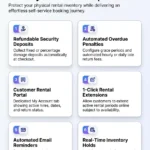
- 1-Click Status Transitions: Switch orders from On Hire to Returned with instant timestamp logging.
- Automated Late Fee Calculations: Calculate overdue surcharges automatically for delayed returns.
- Partial Deposit Deduction: Deduct specific repair or cleaning costs directly from held deposit line items.
- Automated Turnover Buffers: Prevent back-to-back booking conflicts while gear is being serviced.
5. Real-World Returns Workflow Case Study
An equipment hire depot handling 50 daily returns implemented RentEngine’s standardized return checklist and deposit refund workflow. Return processing time dropped from 18 minutes to 4 minutes per order, and customer satisfaction ratings improved by 40% due to instant deposit refunds.
6. Pricing: Pure Software Independence
Avoid expensive third-party SaaS tools that take cuts from your rentals. RentEngine gives you full ownership on a clean one-time license.
7. Live Interactive Demo
Test the admin operations hub and return workflow on the RentEngine Live Demo Sandbox.
8. Documentation & Setup Walkthroughs
Read step-by-step return management guides on the RentEngine Documentation Hub.
9. Verified Customer Reviews
“RentEngine’s returns dashboard completely streamlined our warehouse operations. Check-in is fast, deposit refunds take one click, and gear is restocked without friction.”
— Robert Shaw, Apex Production Rentals
10. Frequently Asked Questions (FAQs)
How quickly are security deposits returned to customer cards?
When you click Refund in the WooCommerce admin, the request is dispatched immediately to your payment gateway (Stripe/PayPal), typically reaching customer accounts within 3–5 business days.
Can RentEngine send automated return reminders to customers?
Yes. RentEngine can dispatch automated return reminder emails 24 hours prior to the scheduled return deadline.
11. Changelog
v1.0.0 (September 2026)
- Streamlined return check-in workflow in admin operations hub.
- 1-click full and partial security deposit settlement.
- Automated turnover buffer windows and late fee calculation.
12. Dedicated Developer Support
Need assistance optimizing your returns workflow? Contact our team at the CodersGrow Support Desk.