

Introduction: Why Modern E-Commerce Stores Need a Dedicated Bundle Builder
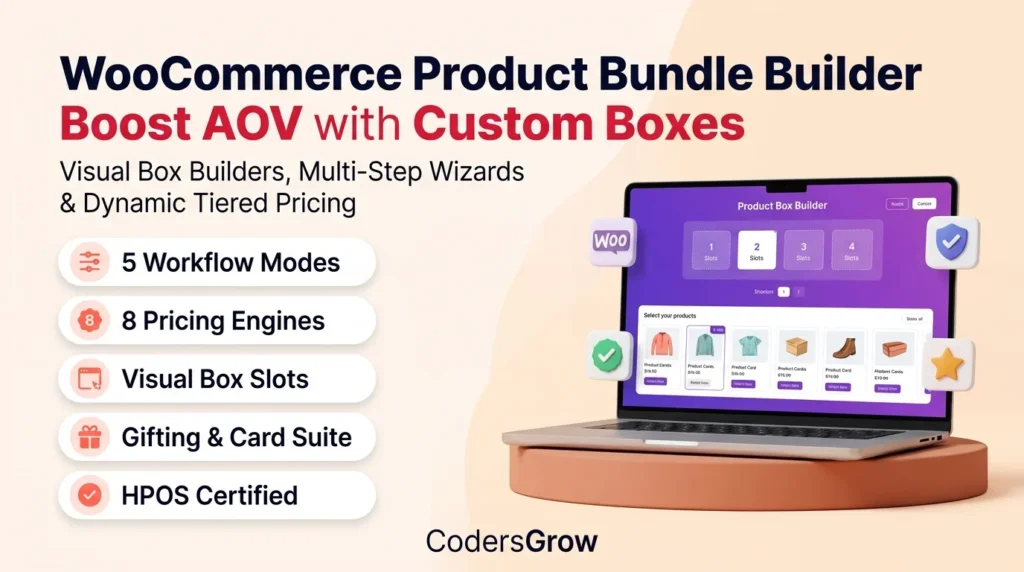
Using a high-converting woocommerce product bundle builder is the single fastest and most effective way for online retailers to dramatically increase their Average Order Value (AOV), clear inventory velocity, and deliver an engaging, interactive shopping experience.
According to comprehensive research by the Baymard Institute, over 42% of online shoppers actively seek out curated product bundles and customized packages when shopping for gifts, seasonal hampers, or consumable staples. However, standard WooCommerce store setups only offer basic grouped or simple products. Without an intelligent builder workflow, shoppers are forced to navigate tedious single-product pages, manually adding items to their cart while guessing whether their selection qualifies for package discounts or fits into a gift box.
Enter BundleForge by CodersGrow — an enterprise-grade, high-performance WooCommerce extension engineered to transform static product catalogs into interactive visual box builders, multi-step gift wizards, subscription hampers, and tiered wholesale bundles.
In this authoritative guide, we break down every core feature, pricing model, composite rule, and conversion optimization strategy available in BundleForge to help you build profitable custom bundle experiences.
1. 5 Flexible Bundle Builder Workflow Modes
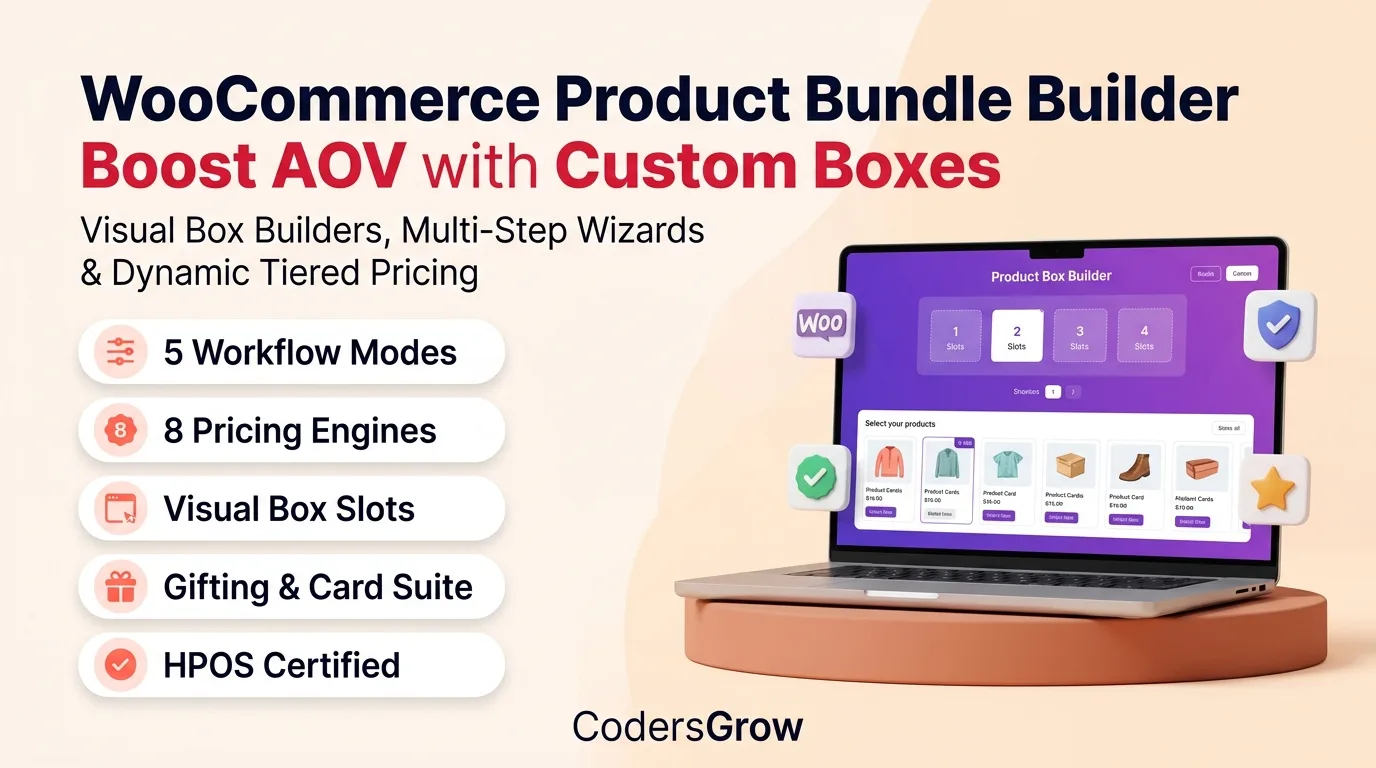
Every product catalog is unique. A snack subscription box requires a completely different user experience than a luxury corporate gift hamper or a custom gaming PC configurator. BundleForge solves this by providing 5 purpose-built workflow modes:
┌─────────────────────────────────────────────────────────────────────────────┐
│                    5 BUNDLEFORGE BUILDER WORKFLOW MODES                     │
├───────────────────┬───────────────────┬───────────────────┬─────────────────┤
│ 1. SINGLE PAGE    │ 2. MULTI-STEP     │ 3. SUBSCRIPTION   │ 4. FIXED PACK & │
│    GRID & SLOTS   │    WIZARD         │    RECURRING BOX  │    MYSTERY CRATE│
├───────────────────┼───────────────────┼───────────────────┼─────────────────┤
│ • Interactive Grid│ • Linear Stages   │ • Scheduled Drops │ • Pre-curated   │
│ • Visual Slots    │ • Step Progress   │ • Subscriptions WC│ • Item Swaps    │
│ • Sticky Cart Dock│ • Step Quotas     │ • Renewal Sync    │ • Blind Boxes   │
│ • Instant Filters │ • Review Summary  │ • Swappable Items │ • Surprise Crate│
└───────────────────┴───────────────────┴───────────────────┴─────────────────┘
1.1 Single Page Builder (Grid / Slots)
Designed for high-speed mix-and-match shopping (such as donut boxes, craft beer packs, artisan spice crates, or skincare kits). Products appear in an organized responsive grid alongside dynamic visual box slots that fill up in real-time as customers click “+ Add”. A sticky checkout summary dock displays real-time pricing, remaining slots, and instant one-click Add to Cart.
1.2 Multi-Step Sequential Wizard
Guides buyers through structured, step-by-step milestones (e.g., Step 1: Choose Your Box & Packaging → Step 2: Select Main Entrées → Step 3: Pick Gourmet Treats → Step 4: Add a Handwritten Gift Note). Each stage features scoped category restrictions, step-level minimum/maximum quotas, and a breadcrumb progression bar.
1.3 Subscription Recurring Box
Fully compatible with WooCommerce Subscriptions, this mode allows customers to configure recurring weekly or monthly replenishment boxes. Customers can log into their account prior to scheduled billing cycles to swap flavors or items while preserving their subscription discount.
1.4 Fixed Curated Pre-set Pack
Merchants can seed the builder with pre-selected default items that represent a complete kit (e.g., “Home Barista Starter Set”). Depending on store rules, customers can either purchase the pack as-is or swap individual components for higher-tier upgrades.
1.5 Mystery Box & Surprise Crates
Enables merchants to sell curated surprise bundles. Shoppers select their preferred box size, dietary requirement, or category preference, and the server-side engine dynamically assembles a surprise selection from approved catalog inventory pools.
2. Dynamic Product Catalog Sourcing & Filtering
BundleForge gives store owners granular control over which catalog components are authorized inside each custom box:
- Manual Product IDs: Explicitly include exact product IDs or variable variation IDs.
- Category-Based Dynamic Inclusion: Automatically authorizes all current and future products assigned to specific
product_cattaxonomies. - Tag-Based Filtering: Include seasonal items dynamically by filtering on
product_tagterms. - Global Attribute Scoping: Filter component products by specific global WooCommerce attributes (e.g., color, size, material, roast level).
- Store-Wide Inclusion: Authorizes the full store catalog with exclusion safeguards.
- Excluded Product IDs: A bulletproof blacklist ensuring gift cards, warranty extensions, or restricted items never appear in the builder.
- Real-time In-Stock Filtering (
in_stock_only): Automatically hides out-of-stock items, preventing checkout friction and inventory shortages.
3. 8 Server-Side Authoritative Pricing Models
Client-side price calculations leave e-commerce stores vulnerable to price tampering. BundleForge executes all calculations 100% server-side via its extensible PricingEngine:
┌─────────────────────────────────────────────────────────────────────────────┐
│                    8 AUTHORITATIVE PRICING STRATEGIES                       │
├───────────────────────────────┬─────────────────────────────────────────────┤
│ 1. Dynamic Sum (`dynamic`)    │ Sum of all selected items + add-ons         │
│ 2. Fixed Flat Price (`fixed`) │ Flat bundle fee regardless of chosen items  │
│ 3. Base Fee + Items (`base`)  │ Box packaging fee + sum of component items  │
│ 4. Base + Included Extra      │ Base fee covers first N items; extra $/item │
│ 5. Volume Tier Matrix         │ Sliding scale: 3 items=$30, 6 items=$50     │
│ 6. Quantity Discounts         │ Automatic 5%, 10%, 20% discount thresholds  │
│ 7. Category Rates             │ Category-based rate table (Shirts $20, Pants $35)│
│ 8. Custom Strategy Pipeline   │ Developer-extensible via PHP strategy classes│
└───────────────────────────────┴─────────────────────────────────────────────┘
| Pricing Strategy | Mathematical Calculation | Best E-Commerce Use Case |
|---|---|---|
| Dynamic Sum | $\text{Total} = \sum (\text{Item Price} \times \text{Qty}) + \text{Add-ons}$ | Bespoke electronics kits, cosmetics, groceries |
| Fixed Flat Rate | $\text{Total} = \text{Base Price} + \text{Add-on Surcharges}$ | “Pick Any 6 Macarons for $18”, flat gift crates |
| Base Fee + Items | $\text{Total} = \text{Base Fee} + \sum (\text{Item Price} \times \text{Qty})$ | Custom gift hampers with premium keepsake containers |
| Base + Extra Items | $\text{Base} + (\text{Extra Items} \times \text{Extra Surcharge})$ | Meal kits (“4 meals for $45, $9 per extra meal”) |
| Volume Tier Matrix | $\text{Total} = \text{TierPrice}(\text{Item Count}) + \text{Add-ons}$ | Socks, coffee bags, apparel bundle promotions |
| Quantity Discounts | $\text{Total} = \text{Subtotal} \times (1 – \text{Discount Rate})$ | Wholesale volume packs (5% off at 3, 15% off at 6) |
| Category-Specific | $\text{Total} = \sum (\text{CatRate}(\text{Cat ID}) \times \text{Qty})$ | Full outfits (Any Top=$25, Any Bottom=$45) |
| Developer Pipeline | Evaluated via PricingStrategyInterface |
Custom B2B tier pricing, live currency API conversions |
Multi-Tier Shipping Strategies
In addition to pricing models, BundleForge includes 4 shipping calculation strategies:
- Bundle Box Only: Package weight and dimensions calculated solely for the parent box.
- Component Items Only: Sums weights of all chosen components for live carrier rate calculations.
- Bundle + Items Combined: Combines packaging box tare weight with all selected items.
- Free Shipping: Marks bundle items as complimentary zero-cost freight.
4. 9 Strict Composite Validation Rules
To protect margins and ensure operational feasibility, BundleForge executes 9 composite validation rules through its RuleEngine:
!WooCommerce product bundle builder composite rules and category quotas interface

Figure 2: Setting up category quotas, spend boundaries, and companion dependencies in the BundleForge admin panel.
- Capacity Boundary Rule (
CapacityRule): Enforces minimum items, maximum box capacity, or exact required item counts. - Category Quotas Rule (
CategoryLimitRule): Sets mandatory selection limits per category (e.g., “Must pick at least 1 Wine Bottle and no more than 2 Cheeses”). - Spend Limit Boundaries (
SpendLimitRule): Restricts checkout until the box contents reach a minimum monetary value (or caps maximum value). - Companion Product Dependencies (
DependencyRule): Selecting a trigger product automatically requires one or more companion accessories (e.g., Selecting an Action Camera requires a Memory Card). - Product Incompatibilities (
IncompatibilityRule): Prevents mutually exclusive selections (e.g., Product A cannot be packaged in the same box as Product B). - Per-Product Item Caps (
PerItemCapRule): Caps the maximum times a customer can choose the same item in one box (preventing inventory hoarding). - Pre-filled Item State Rules (
PrefilledLockRule):
Optional: Item can be removed or swapped freely.Required: Item must remain in the box; cannot be deleted.Locked: Item is a permanent, non-removable fixture of the bundle.Replaceable: Item can be swapped for alternative flavors or colors.
- Customer Role Gatekeeper (
UserRestrictionRule): Gating bundle purchasing to specific WordPress user roles (e.g., VIP Members or Wholesale accounts) with guest checkout controls. - Time & Schedule Constraints (
ScheduleRule): Automates limited-time promotional box drops with start/end launch dates and active days of the week (e.g., Weekend Flash Bundles).
5. Built-in Gifting Suite & Personalization
Gift purchases represent the highest-margin segment of custom box building. BundleForge includes a dedicated gifting suite built right into the core plugin:
- Personalized Gift Note / Card Messages:
- Customers enter personalized gift card messages directly in the builder.
- Configurable character limit (e.g., 250 characters) with live countdown.
- Optional card printing surcharge fee added to the order.
- Custom Box Packaging Selection:
- Let shoppers select luxury packaging finishes (e.g., Rustic Wooden Keepsake Box (+$8.00), Holiday Red Velvet Ribbon (+$4.00), or Eco Kraft Shipper (Free)).
- Includes thumbnail preview cards with instant visual selection.
- Custom Upsell Accessories:
- Offer last-mile add-ons right before Add to Cart (e.g., Greeting Cards, Gourmet Chocolates, Bottle Openers).
- Order & Invoice Synchronization:
- Packaging names, gift messages, and add-on selections are saved into order item metadata and displayed on WooCommerce customer emails, packing slips, and admin invoices.
6. Frontend Visual Experience & High-Converting UX
BundleForge was crafted from the ground up to offer a responsive, mobile-first visual experience:
- Visual Slot Representations: Dynamic visual slots indicating filled and remaining capacity with smooth entry animations.
- Slot Corner Styling: Smooth Rounded (
rounded), Sharp Square (square), or Circular Pill (circle) styles matching your brand theme. - Responsive Grid Options: 2, 3, 4, or 5 columns on desktop, seamlessly collapsing into a touch-friendly mobile drawer on smartphones.
- Live Quick View Modal: In-place preview modal with product photo galleries, detailed descriptions, and variable product dropdowns.
- Live Reactive Search & Filters: Instant zero-lag filtering by keyword, SKU, price, and category.
- HMAC SHA-256 Shareable Bundle URLs: Customers can save their custom box configuration and share a cryptographically signed deep link with friends or family via WhatsApp, Email, or Social Media.
- Saved Bundles in My Account: Logged-in customers can store their favorite box recipes in their WooCommerce dashboard for instant one-click re-ordering.
- Smart Cross-Sell Recommendations: Machine-learning-inspired recommendation engine that dynamically displays complementary products based on items currently in the box.
7. Hybrid Container Cart & Order Management (HPOS Certified)
Managing bundled items in standard WooCommerce carts often causes inventory drift and bookkeeping errors. BundleForge utilizes an architectural Hybrid Container Cart Model:
┌─────────────────────────────────────────────────────────────────────────────┐
│                      HYBRID CONTAINER CART ARCHITECTURE                     │
├─────────────────────────────────────────────────────────────────────────────┤
│  🛒 MASTER PARENT CONTAINER (Bundle Line Item)                              │
│     ├── Holds Authoritative Total Bundle Price (e.g., $65.00)               │
│     ├── Holds Packaging, Gift Message, & Strategy Metadata                  │
│     └── Governs Overall Bundle Quantity (Qty: 2 = 2 Complete Boxes)         │
│                                                                             │
│  ├── 📦 Linked Child Item 1 (Zero-priced reference: Gourmet Coffee)        │
│  ├── 📦 Linked Child Item 2 (Zero-priced reference: Ceramic Mug)            │
│  └── 📦 Linked Child Item 3 (Zero-priced reference: Chocolate Biscotti)     │
└─────────────────────────────────────────────────────────────────────────────┘
- Atomic Cascading Sync: Removing the parent bundle removes all component children. Updating the parent quantity scales all child item quantities proportionally.
- Atomic Stock Deductions: Reduces stock for each individual component item upon completed payment, preventing overselling.
- 100% HPOS Certified: Fully compatible with WooCommerce High-Performance Order Storage (Custom Order Tables) and legacy postmeta.
- Gutenberg Cart & Checkout Blocks Native: Integrates with WooCommerce Store API for modern React-based checkout workflows.
- Enhanced Admin Order Tree: WooCommerce Order Edit screens display an indented visual tree hierarchy clearly linking parent bundles with component child products.
8. Feature Comparison: BundleForge vs. Default WooCommerce & Competitors
| Feature Capability | Default WooCommerce | Typical Bundle Plugins | BundleForge (CodersGrow) |
|---|---|---|---|
| Builder Workflow Modes | ❌ (Grouped only) | 1 Mode | 5 Modes (Grid, Wizard, Subscriptions, Fixed, Mystery) |
| Visual Capacity Slots | ❌ None | ❌ Rare | ✅ Real-Time Interactive Slots |
| Server-Side Pricing Models | Simple Sum only | 2 Models | 8 Authoritative Models + Tier Matrix |
| Composite Validation Rules | ❌ None | 2–3 Basic Rules | 9 Strict Rules (Quotas, Deps, Incomps, Caps) |
| Gifting Suite & Packaging | ❌ None | ❌ Requires 3rd Party | ✅ Built-in Gift Notes & Box Packaging |
| Shareable Bundle URLs | ❌ None | ❌ None | ✅ Cryptographic HMAC Signed Links |
| Customer Saved Bundles | ❌ None | ❌ None | ✅ My Account Saved Box Recipes |
| HPOS & Blocks Compatible | Standard | Partial | ✅ 100% Certified & Tested |
| Performance Analytics | ❌ Basic Sales | ❌ None | ✅ 5 KPI Wave Cards + Conversion Telemetry |
9. Modern Booking-Style Admin Dashboard & Analytics
BundleForge features a modern, responsive admin dashboard modeled after premium SaaS interfaces:
!WooCommerce product bundle builder modern admin dashboard analytics

Figure 3: BundleForge operations dashboard featuring 5 KPI wave metric cards, date filtering, and active bundle catalog management.
- 5 Animated KPI Metric Cards:
- Active Bundles: Live count of published bundle builders in your catalog.
- Builders Started: Tracks interactive customer building sessions.
- Bundles Completed: Measures customer box completion rates.
- Added to Cart & Conversion Rate: Real-time funnel conversion metrics.
- Total Bundle Revenue: Filterable monetary gross generated by bundle products.
- Timeframe Filters: Instant presets for Last 7 Days, Last 30 Days, Last 90 Days, and All Time.
- Live Catalog Schedule: Search, filter by builder mode, inspect capacity configurations, and jump directly to product edit screens.
- Clean Tabbed Settings: Frictionless configuration for brand accent colors, default layouts, telemetry tracking, and database maintenance.
10. Step-by-Step: How to Create Your First Custom Box in 5 Minutes
Setting up a custom product bundle in BundleForge requires no coding knowledge:
- Create a New Product: In your WordPress dashboard, navigate to Products → Add New.
- Select Product Type: In the Product Data dropdown, choose Bundle / Box Builder.
- Choose Workflow Mode: Under the General sub-tab, select your desired builder mode (e.g., Single Page Builder or Multi-Step Wizard).
- Set Capacity Rules: In the Capacity sub-tab, set your minimum and maximum items (e.g., Min: 4, Max: 4 for an exact 4-pack box).
- Assign Catalog Sources: In the Products & Sources sub-tab, select allowed categories (e.g., Cookies & Snacks) and exclude out-of-stock items.
- Configure Pricing Strategy: In the Pricing & Tiers sub-tab, choose your model (e.g., Fixed Price: $25.00 or Tiered Volume Discounts).
- Enable Gifting (Optional): In the Gifts & Add-ons sub-tab, enable gift card messaging and select packaging choices.
- Publish & Launch: Click Publish. Your interactive WooCommerce product bundle builder is now live and ready to convert shoppers!
Frequently Asked Questions (FAQs)
Does BundleForge work with variable products and variations?
Yes. BundleForge seamlessly supports both simple and variable WooCommerce products. Shoppers can open the quick-view modal or select size, color, and flavor variations directly within the builder interface.
Will BundleForge slow down my store or conflict with caching plugins?
No. BundleForge is built on a lightweight vanilla JavaScript reactive frontend that communicates with the server via optimized WooCommerce REST API endpoints and AJAX fallbacks. It is 100% compatible with caching solutions like WP Rocket, LiteSpeed Cache, Cloudflare, Redis, and Varnish.
Is BundleForge compatible with WooCommerce High-Performance Order Storage (HPOS)?
Yes. BundleForge is 100% HPOS certified and stores order line item relationships seamlessly in custom order tables as well as standard WordPress postmeta.
Can customers adjust the quantity of completed boxes at checkout?
Yes. Enabling the Allow Multiple Completed Boxes toggle allows customers to adjust the quantity of the constructed bundle in their cart (e.g., ordering 5 identical custom gift hampers for wedding guests).
Can I create recurring subscription boxes with BundleForge?
Yes. By setting the builder mode to Subscription Box, BundleForge integrates with WooCommerce Subscriptions to bill customers on recurring weekly, monthly, or quarterly schedules.
Conclusion: Transform Your Store’s Average Order Value Today
Product bundling is no longer just an optional marketing tactic — it is a foundational e-commerce growth engine. By giving customers the freedom to curate their own boxes, personalizing their orders with custom gift messages, and rewarding them with automated tiered discounts, you create a frictionless shopping journey that drives higher cart totals and customer loyalty.
Whether you run a gourmet bakery, a subscription coffee club, a boutique apparel brand, or a tech accessories store, BundleForge delivers the tools, security, and visual design you need to scale your revenue.
👉 Get BundleForge for WooCommerce Today