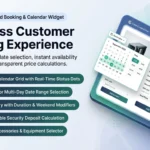
Mastering how to create an equipment rental calendar in WooCommerce is the key to converting website visitors into confirmed, paid equipment reservations. Shoppers need instant visual clarity: they want to select start and return dates effortlessly, see real-time price updates immediately, and know with certainty that their chosen equipment is locked and reserved.
In this guide, we walk through how to create an equipment rental calendar in WooCommerce with responsive touch support, blocked booked dates, and turnaround buffers using RentEngine – Rental & Booking Manager for WooCommerce.

RentEngine Frontend Calendar Widget • Responsive touch date picker with live availability
1. What Problem It Solves
Standard e-commerce dropdowns fail miserably for rental equipment scheduling:
- Clunky Text Date Fields: Typing dates manually (e.g. “2026-10-12”) causes validation errors, typos, and mobile friction.
- No Visual Availability Feedback: Shoppers don’t know which dates are taken until after they attempt to checkout.
- Lack of Real-Time Price Calculation: Customers cannot see how adding two more days impacts their total bill until they reach the final checkout page.
RentEngine replaces rigid fields with a sleek, interactive date calendar that calculates prices and blocks unavailable dates in real-time.
2. Who It Is For
An interactive rental calendar is vital for:
- Camera & Production Gear Depots: Selecting exact weekend shoot dates.
- Construction Tool Hire: Reserving heavy equipment for specific work weeks.
- Party & Event Suppliers: Selecting delivery, event, and collection dates.
3. How It Works: Step-by-Step Calendar Configuration
Step 1: Enable the Rental Calendar on Products
Under product edit settings, choose Rental Product. RentEngine automatically injects the interactive calendar widget directly onto the single product page.
Step 2: Customize Calendar Display & Booking Modes
Choose between Date Range Selection (Start Date → End Date) or Single Day / Hourly Slots. You can configure minimum rental days (e.g. minimum 2 days) and advance booking notices (e.g. must book at least 24 hours in advance).
Step 3: Automated Turnover Buffer Integration
When an equipment item is booked, RentEngine automatically disables subsequent buffer days on the calendar for inspection and cleaning.
4. Features of RentEngine’s Rental Calendar
- Mobile Touch-Optimized: Smooth swiping across months on iOS and Android devices.
- Instant AJAX Availability: Never affected by aggressive WordPress page caching.
- Visual State Coding: Available dates are crisp and clear; booked dates are cleanly disabled.
- Dynamic Subtotal Tally: Shows real-time hire total, duration discount, and security deposit instantly.
5. Real-World Calendar Case Study
An audio equipment hire store replaced static booking inquiry forms with RentEngine’s interactive frontend calendar. Online direct bookings surged by 52% in the first quarter because customers could check availability and lock dates instantly without waiting for an email response.
6. Pricing: Full Ownership with Zero Ongoing Cuts
Avoid expensive cloud software that charges monthly fees. RentEngine provides an enterprise rental calendar on a simple one-time license.
7. Live Interactive Demo
Test the interactive calendar date picker yourself on the RentEngine Live Demo Sandbox.
8. Documentation & Setup Walkthroughs
Learn how to style and customize calendar layouts in the RentEngine Documentation Hub.
9. Verified Customer Reviews
“The frontend calendar widget is stunning. It works flawlessly on mobile, and our clients love seeing the exact price update instantly as they pick their dates.”
— Nathan Hall, Horizon Media Rentals
10. Frequently Asked Questions (FAQs)
Can I customize the colors of the rental calendar to match my theme?
Yes. RentEngine includes built-in styling controls and clean CSS classes that adapt to your brand colors seamlessly.
Can the calendar block specific holidays or store closure dates?
Yes. Global store holiday dates can be configured to block bookings across your entire catalog automatically.
11. Changelog
v1.0.0 (September 2026)
- Touch-responsive frontend rental calendar widget.
- Real-time AJAX availability lookups bypassing page caches.
- Integrated duration discount tally and security deposit preview.
12. Dedicated Developer Support
Need help integrating the rental calendar into a custom page builder? Our developers are ready at the CodersGrow Support Desk.