Learning how to prevent double bookings in WooCommerce rentals is the foundation of protecting your store’s reputation and customer relationships. Few scenarios cause greater operational chaos than having two high-paying customers reserve the exact same piece of equipment for the same dates, resulting in emergency cancellations, frantic vendor scrambling, and negative online reviews.
In this guide, we explore the root technical causes of scheduling race conditions and show you how to prevent double bookings in WooCommerce rentals permanently using RentEngine – Rental & Booking Manager for WooCommerce.

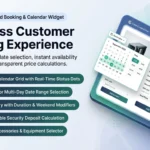
Real-Time Availability Calendar • Instant date locking and turnover buffer enforcement
1. What Problem It Solves
Double-bookings in WooCommerce typically occur because of two technical flaws:
- Checkout Concurrency Gaps: When two shoppers view an available product simultaneously and reach checkout at the same moment, basic plugins fail to lock the inventory atomically.
- Zero Turnover Protection: Booking Customer B immediately at 9:00 AM after Customer A returns gear at 9:00 AM leaves no buffer for inspection, cleaning, or transit delays.
RentEngine eliminates both risks through atomic database reservation locking and customizable turnover buffers.
2. Who It Is For
Preventing scheduling conflicts is mandatory for:
- High-Value Equipment Depots: Where each camera, drone, or generator represents a unique serialized asset.
- Party & Tent Rentals: Where delivery, setup, and teardown require non-overlapping transit blocks.
- Vehicle & Boat Fleets: Where maritime or road safety inspections are legally required between renters.
3. How It Works: The 4-Layer Anti-Double-Booking Architecture
Layer 1: Real-Time Availability Validation
As soon as a date range is chosen on the frontend calendar, RentEngine executes an indexed SQL query against custom relational tables, checking both active reservations and pending cart locks.
Layer 2: Atomic Checkout Cart Locking
When a shopper enters checkout, the selected dates are placed in an atomic holding lock for a configurable duration (e.g. 15 minutes). No other user can select those dates while checkout is in progress.
Layer 3: Automated Turnover Buffer Windows
RentEngine automatically appends a buffer window to every booking (e.g. 3 hours or 24 hours). The calendar marks these buffer hours as unavailable, guaranteeing your team has time to service the equipment.

Asset Lifecycle Automation • Automated turnover buffers prevent back-to-back overlaps
Layer 4: High-Performance Order Storage (HPOS) Database Isolation
By moving booking status records out of cluttered wp_postmeta into dedicated relational tables, queries complete in under 1 millisecond with zero database race conditions.
4. Features of RentEngine’s Anti-Conflict Engine
- Sub-Millisecond Availability Check: Eliminates slow page loading and cached availability inaccuracies.
- Visual Calendar Blocking: Booked and buffer dates are instantly displayed in disabled red states.
- Multi-Unit Stock Pooling: Track up to 50 identical items across overlapping dates without false positives.
- Manual Admin Overrides: Store staff can release, reassign, or block dates manually in emergencies.
5. Real-World Conflict Prevention Case
A sound equipment hire company suffered 8 double-booking incidents during the 2024 festival season due to slow caching plugins. After deploying RentEngine with 24-hour maintenance buffers and atomic cart locking, they completed over 600 festival hires with zero scheduling conflicts.
6. Pricing: Complete Ownership, Zero Fees
Avoid third-party software that charges thousands annually to manage your schedule. RentEngine is available on a clean one-time license with lifetime regular updates.
7. Live Interactive Demo
Test the real-time calendar and attempt overlapping bookings yourself on the RentEngine Live Demo Sandbox.
8. Documentation & Setup Guides
Learn how to configure buffer rules and checkout cart locks in the RentEngine Documentation.
9. Verified Customer Reviews
“RentEngine completely eradicated our double-booking issues. The cart locking and cleaning buffers work flawlessly even during high-traffic holiday rushes.”
— Tom Bradley, SoundScape Audio Hire
10. Frequently Asked Questions (FAQs)
What happens if a customer abandons their cart during checkout?
RentEngine releases temporary cart locks automatically after your configured expiration threshold (e.g. 15 minutes), making the dates available again immediately.
Does RentEngine work with caching plugins like WP Rocket and LiteSpeed?
Yes. RentEngine uses dynamic AJAX availability endpoints that bypass static page caching, ensuring date availability is always 100% real-time.
11. Changelog
v1.0.0 (September 2026)
- Atomic reservation locks during checkout.
- Automated turnover buffer windows between hires.
- Full HPOS database indexing for sub-millisecond calendar availability checks.
12. Dedicated Developer Support
Need advice configuring buffer policies? Connect with our engineering team at the CodersGrow Support Desk.