
Selecting the best woocommerce product custom builder is one of the highest-leverage decisions an online merchant can make to maximize Average Order Value (AOV), accelerate inventory turnover, and deliver a frictionless shopping experience.
According to comprehensive benchmark research published by the Baymard Institute, over 42% of online shoppers actively seek out customizable product bundles, mix-and-match boxes, and curated kits when shopping for gifts, lifestyle assortments, or routine replenishment items. However, default WooCommerce installations provide only standard simple, variable, and grouped products. Without a specialized custom product configurator, shoppers are forced to navigate tedious individual product pages, manual quantity additions, and confusing discount structures.
To overcome these hurdles, forward-thinking store owners deploy dedicated bundling plugins. Yet the market is filled with legacy extensions developed over a decade ago that suffer from bloated page loads, clunky mobile controls, broken inventory synchronization, and zero support for modern WooCommerce Cart and Checkout Blocks.
In this comprehensive, data-driven review, we evaluate the leading bundle configurators available today. We pit the cutting-edge BundleForge by CodersGrow directly against popular market alternatives—including Codeincept Custom Product Boxes, WisdmLabs Custom Product Boxes, and WooCommerce Mix & Match Products—to reveal why modern architecture makes all the difference for your bottom line.
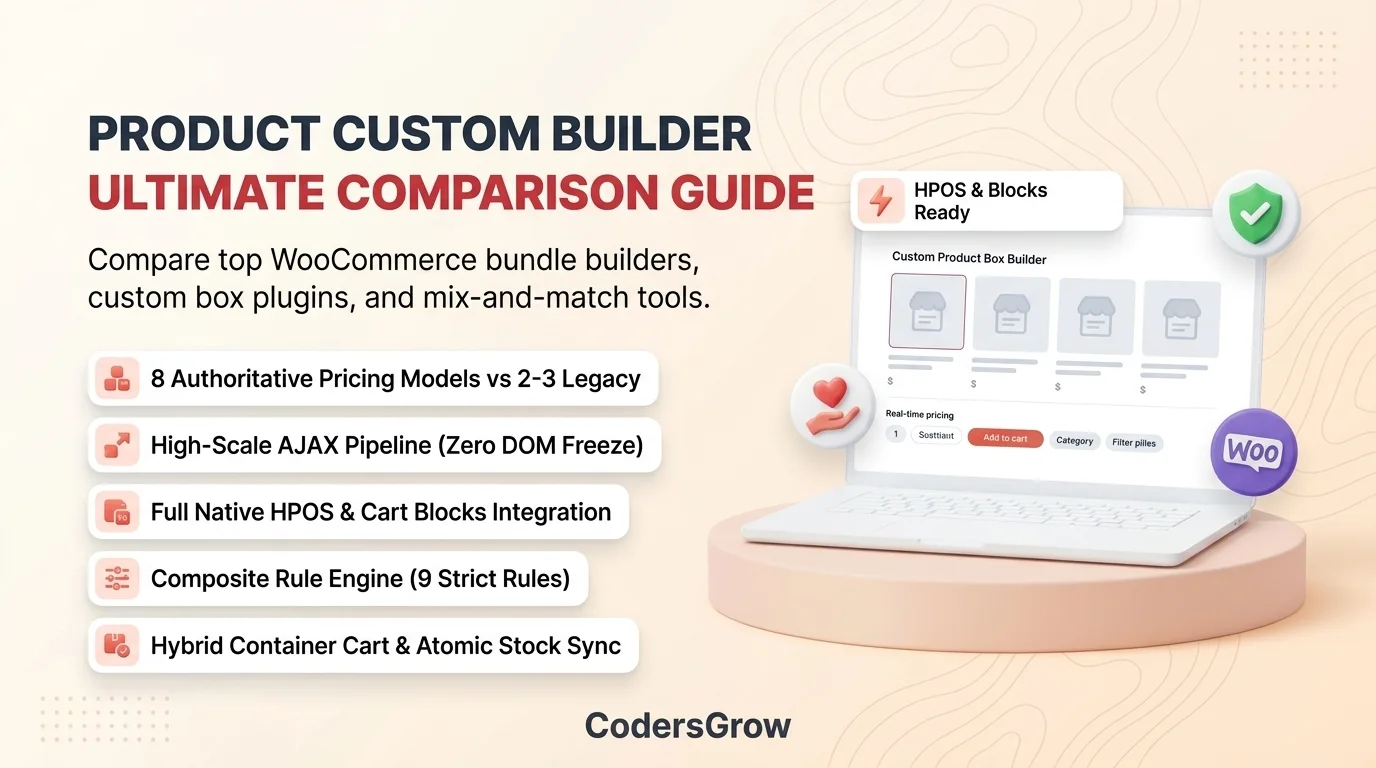
Why Choosing a High-Performance Custom Product Box Matters for Your Bottom Line
A custom builder is far more than a visual gimmick; it is an engine for e-commerce growth. When shoppers are empowered to assemble their own product boxes—whether a 6-pack of craft beer, a personalized skincare regimen, an artisan chocolate hamper, or a customizable tech accessories kit—conversion psychology shifts dramatically:
- Significant AOV Lift: Tiered pricing, base fees with included quotas, and volume discounts motivate buyers to add “just one more item” to unlock savings or fill empty visual slots.
- Reduced Mobile Cart Drop-Off: Over 60% of modern e-commerce traffic originates on smartphones. Builders that lack touch-optimized controls or mobile drawers suffer severe drop-off rates during box configuration.
- Accurate Warehouse Fulfillment: If bundle items are not cleanly linked in the cart with individual weights, dimensions, and variation SKUs, warehouse management systems (WMS) and shipping calculators fail, causing costly packing errors.
- Core Web Vitals & Server Stability: Legacy plugins query hundreds of products directly into the browser DOM on page load. On catalogs with 500+ SKUs, this triggers high Time-to-First-Byte (TTFB > 4.0s) and catastrophic browser memory crashes. Modern stores require debounced REST/AJAX pipelines that adhere to Google Core Web Vitals standards.
Quick Summary: Top 4 WooCommerce Custom Builder Plugins Compared
Before diving into our 16-dimension architectural deep-dive, here is a quick high-level overview of the top contenders:
| Plugin | Best For | Pricing Models | HPOS / Blocks Ready | Mobile UX |
|---|---|---|---|---|
| BundleForge (CodersGrow) | Modern, high-converting stores needing reactive UX, 8 pricing strategies, 9 rules & Blocks sync | 8 Authoritative Models | ✅ 100% Certified Native | ⭐ Sliding Mobile Drawer + Sticky Dock |
| Codeincept Custom Product Boxes | Small catalogs with simple fixed-count gift boxes | 3 Basic Options | ❌ Legacy postmeta dependency | ⚠️ Rigid table; horizontal scrolling |
| WisdmLabs Custom Product Boxes | Stores wanting basic drag-and-drop grid boxes | 2 Basic Options | ⚠️ Incomplete block support | ⚠️ Drag-and-drop conflicts on touch |
| WooCommerce Mix & Match | Basic quantity-stepper bundle lists without visual slots | 2 Basic Options | ⚠️ HPOS declared; basic Blocks UI | ⚠️ Form inputs only; no visual slots |
Head-to-Head Comparison: The Best WooCommerce Product Custom Builder Plugins
To truly understand how these tools perform under real e-commerce conditions, let us analyze the critical technical and commercial dimensions where stores either succeed or face operational bottlenecks.
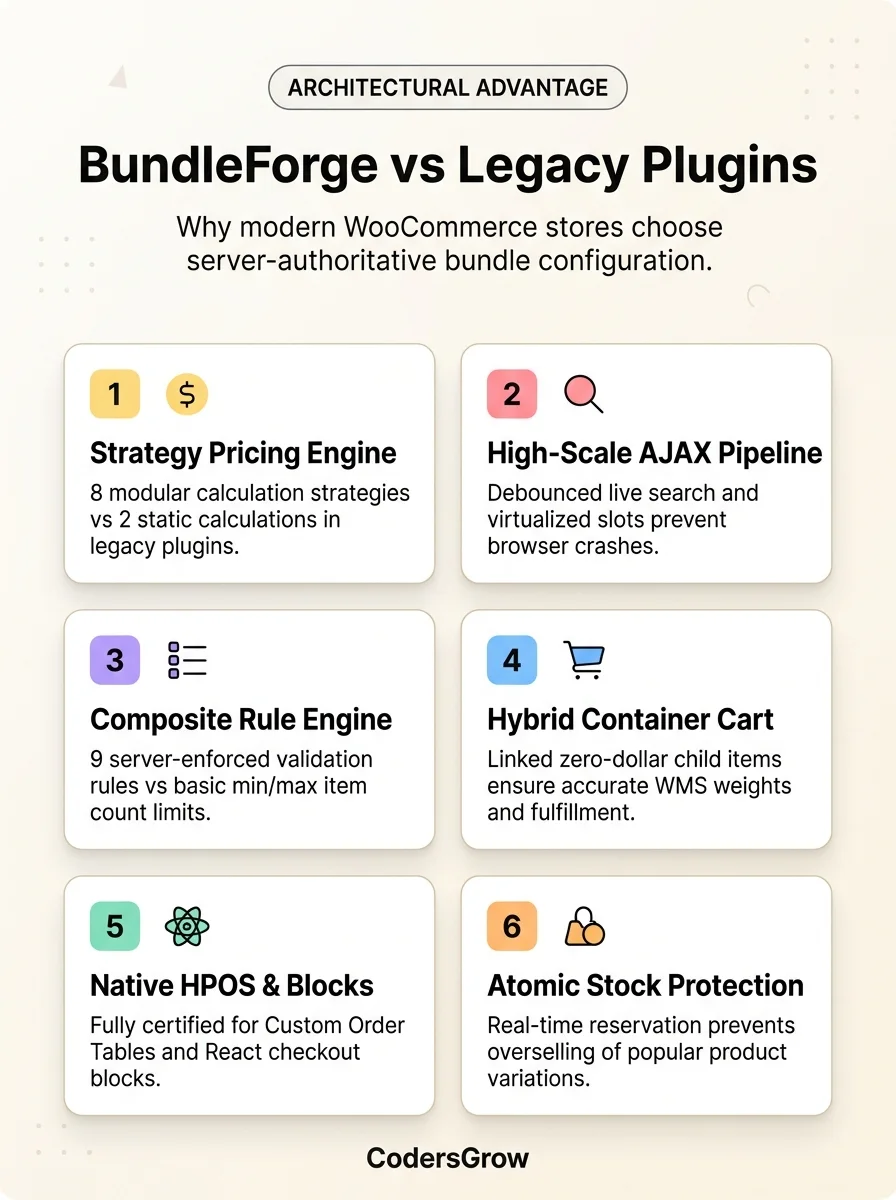
1. Pricing Engine & Discount Strategies
Pricing flexibility is the direct lever that turns casual browsing into high-ticket checkouts. In this category, the difference between modern engineering and legacy plugins is stark:
- Codeincept & WisdmLabs: Provide only 2 to 3 rigid pricing models (Flat Fixed Price, Simple Sum of Items, or Base Fee + Addon). They cannot natively handle tiered volume brackets (e.g., 4 items for $35, 8 items for $60, 12 items for $80) without stacking brittle third-party dynamic pricing extensions that cause race conditions and cart calculation errors.
- WooCommerce Mix & Match: Limited to per-item calculation or static base pricing. Merchants cannot create “Base Included + Extra” models where the container includes 4 items for free and charges incremental rates only for item 5 onwards.
- BundleForge (The Clear Winner): Features an extensible Strategy-pattern
PricingEnginesupporting 8 authoritative calculation models:- Fixed Pricing: Single flat rate regardless of selections.
- Dynamic Per-Item: Real-time sum of chosen catalog products.
- Base Fee + Items: Fixed packaging fee plus item catalog prices.
- Base Included + Extra: Base fee covers up to N items; subsequent items incur catalog rates or custom surcharges.
- Tiered Quantity Pricing: Stepwise discount brackets based on item count.
- Quantity Threshold Discounts: Percentage or flat discounts unlocked upon reaching specific volumes.
- Category-Based Pricing: Dynamic pricing adjustments tailored to item categories.
- Custom Strategy Filter Hook: Complete developer extensibility via
codersgrow_bundleforge_pricing_strategies.
Every pricing calculation in BundleForge is verified 100% server-authoritative during cart addition, rendering client-side JavaScript tampering completely impossible.
2. Catalog Scalability & AJAX Architecture
How does the plugin handle catalogs with hundreds or thousands of candidate products?
- Codeincept: Queries all candidate products and prints their full HTML markup directly into the page source upon initial page render. For stores with 500+ SKUs, this results in catastrophic Time-to-First-Byte delays (>4.5 seconds), huge HTML payloads exceeding 5MB, and browser DOM freezes on mobile devices.
- WisdmLabs: Offers basic AJAX pagination, but re-renders heavy DOM chunks on every page switch, causing visual stuttering and broken event listeners.
- BundleForge: Solves catalog scalability with a High-Scale REST/AJAX Pipeline. Products are fetched asynchronously via lightweight JSON endpoints with 300ms debounced live search, taxonomy filters, and virtualized slot syncing. Browser memory consumption remains flat, guaranteeing silky-smooth 60 FPS performance whether you offer 10 products or 10,000.
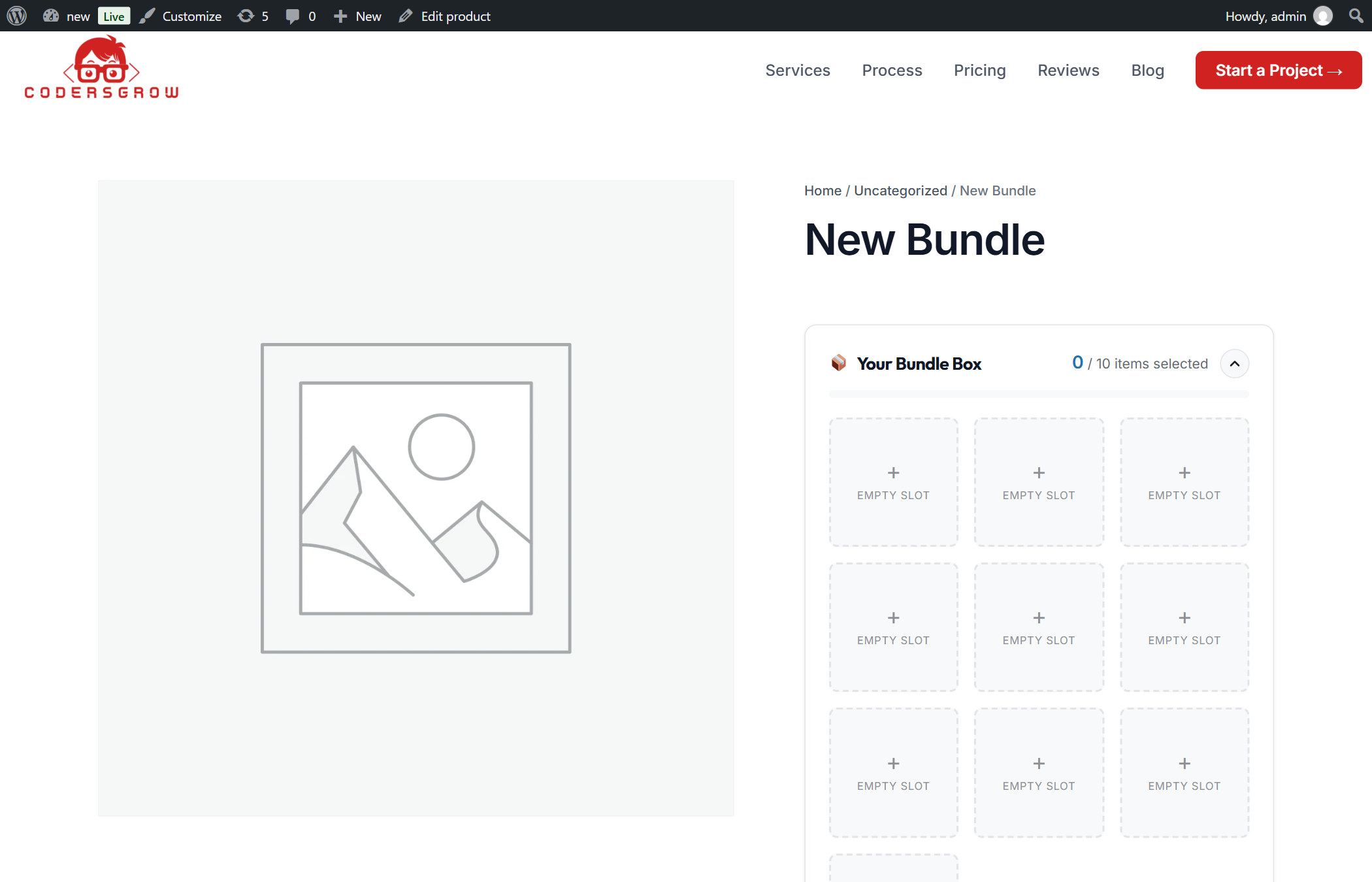
3. Variable Product Handling
Most eCommerce catalogs rely heavily on variable products with attributes like size, color, scent, or flavor. How do competing builders handle them?
- Codeincept: Relies on plain HTML
<select>dropdowns that fail to update product images, live variation SKUs, or individual variation stock status. Customers can easily select out-of-stock variations, only to be confronted with unexpected errors during checkout. - WooCommerce Mix & Match: Struggles with complex variation trees, often requiring store managers to list every variation as a separate child product—cluttering the shop interface.
- BundleForge: Ships with an interactive
VariationHandler. Shoppers toggle attributes using sleek pill buttons. Selecting an attribute triggers instant thumbnail swapping, live SKU display, real-time variation stock badge checks, and instantaneous price quote updates.
4. Cart Hierarchy & Hybrid Container Architecture
How bundle selections translate into WooCommerce cart and order line items is the single biggest operational vulnerability in legacy plugins:
┌─────────────────────────────────────────────────────────────────────────────┐ │ HYBRID CONTAINER CART ARCHITECTURE │ ├─────────────────────────────────────────────────────────────────────────────┤ │ 🛒 Parent Container Line Item: Carries total bundle price, packaging, meta │ │ ├── 📦 Child Product A ($0.00): Weight: 1.2kg, SKU: BF-01, Stock -1 │ │ ├── 📦 Child Product B ($0.00): Weight: 0.8kg, SKU: BF-02, Stock -1 │ │ └── 📦 Child Product C ($0.00): Weight: 0.5kg, SKU: BF-03, Stock -1 │ └─────────────────────────────────────────────────────────────────────────────┘- Legacy Implementations: Either flatten all child items into detached line items with loose postmeta or collapse them into a single parent item with plain text notes. This breaks shipping weight calculations, prevents third-party fulfillment services (like ShipStation, Printful, or warehouse ERPs) from scanning individual SKUs, and invites customers to manipulate cart quantities to bypass price rules.
- BundleForge Hybrid Container: The parent container item holds the billing total, gift messages, and packaging choices. Component products and variations are added as linked child items at $0.00. This maintains 100% accurate parcel weights, dimensions, and SKU tracking for warehouse pick-and-pack fulfillment, while an automated anti-tampering watchdog prevents customers from artificially adjusting child quantities. Even better, BundleForge includes a 1-click “Edit Bundle” rehydration link in the cart, allowing customers to reopen and modify their box in seconds without creating duplicate cart rows.
5. High-Performance Order Storage (HPOS) & Cart/Checkout Blocks
WooCommerce has shifted decisively toward High-Performance Order Storage (HPOS) and modern React-based Cart and Checkout Blocks:
- Codeincept & Older WisdmLabs Versions: Were written prior to HPOS and still execute direct SQL queries against
wp_postsandwp_postmeta. When merchants enable HPOS, these plugins trigger critical audit errors, database bottlenecks, or fail completely when rendering the modern block checkout. - BundleForge: Formally declares full compatibility for both
custom_order_tables(HPOS) andcart_checkout_blocksvia native WooCommerce APIs. Furthermore, it integrates with the WooCommerce Store API, cleanly rendering bundle hierarchies, child items, and gift notes inside modern Gutenberg block checkouts.
6. Composite Rule Engine (9 Strict Business Validators)
Store owners need granular control to enforce store policies and protect margins:
Rule Capability Codeincept WisdmLabs Mix & Match BundleForge Exact / Min / Max Capacity ✅ Basic ✅ Basic ✅ Basic ✅ Advanced (Partial-Fill) Category Quotas (e.g. Min 2 Drinks) ❌ No ❌ No ❌ No ✅ Yes (CategoryLimitRule) Spend Boundaries (Min/Max $) ❌ No ❌ No ❌ No ✅ Yes (SpendLimitRule) Product Dependencies & Exclusions ❌ No ❌ No ❌ No ✅ Yes (Dependency & Incompatibility) Per-Item Quantity Cap ❌ No ❌ No ⚠️ Per-item min/max ✅ Yes (PerItemCapRule) Pre-Filled Locked Items ❌ No ❌ No ❌ No ✅ Yes (PreFilledLockRule) Role Restrictions & Guest Toggles ❌ No ❌ No ❌ No ✅ Yes (UserRestrictionRule) Promotional Date/Time Scheduling ❌ No ❌ No ❌ No ✅ Yes (ScheduleRule) 7. Gifting, Social Sharing & Saved Customer Sessions
Modern consumers love sharing their personalized creations. Legacy plugins treat the box as a simple transaction, but BundleForge turns custom configurations into viral social assets:
- Tamper-Proof Social Sharing: Generates shareable URLs signed with an HMAC SHA-256 cryptographic signature. If someone attempts to tamper with product IDs or price parameters in the query string, the system detects the hash mismatch and protects store margins.
- My Account Saved Bundles: Logged-in customers can save their favorite gift boxes, subscription refills, or snack combinations directly to their WooCommerce account profile and re-order them with a single tap.
- Packaging Tiers & Personalized Notes: Buyers can choose between packaging tiers (such as Standard Kraft Box, Premium Wooden Crate, or Ribbon Box) and compose a personalized greeting card message with real-time character count validation.
8. Built-in Privacy-First Local Analytics
Unlike third-party tracking scripts that slow down page loads and require complex cookie consent banners, BundleForge provisions a dedicated local telemetry table (
wp_cg_bf_analytics). Merchants gain immediate visibility into conversion rates, Average Bundle Value, step-by-step wizard drop-off rates, and the most frequently bundled SKUs—with 100% GDPR/CCPA compliance and zero external scripts.
Detailed Feature Breakdown: Competitor by Competitor
1. BundleForge (CodersGrow) — The Modern High-Performance Benchmark
Built strictly to modern PSR-4 architectural standards, BundleForge is designed for fast-growing merchants who refuse to compromise on user experience or backend stability. Its Vanilla ES6 reactive frontend weighs under 35KB unminified, ensuring lightning-fast load times even on modest shared hosting environments.
Key Advantages:
- 8 server-authoritative pricing models, including Tiered Quantity Brackets and Base Included + Extra.
- High-scale debounced AJAX product search with lazy pagination and zero DOM bloat.
- Full native variable product support with instant attribute pills and image swapping.
- Hybrid container cart architecture with linked $0 child line items and 1-click “Edit Bundle” link.
- Certified 100% HPOS and Cart/Checkout Blocks compatibility.
- 9 composite validation rules ensuring total margin control.
- Built-in gifting packaging tiers, greeting card notes, and HMAC-signed social sharing.
- Zero-cookie local analytics dashboard for tracking AOV and bundle funnel conversions.
Limitations:
- Requires modern PHP (7.4+; PHP 8.2+ recommended) and WooCommerce 7.0+.
2. Codeincept Custom Product Boxes — Simple But Architecturally Outdated
Codeincept is a long-standing box builder that helped popularize the custom product box concept in earlier WooCommerce eras. While it works adequately for small boutiques with limited products, its aging architecture poses serious limitations for scaling stores.
Key Advantages:
- Straightforward setup for basic mix-and-match boxes.
- Includes standard visual slot layout options (box on left, right, or top).
Limitations:
- Renders all candidate products directly into the HTML DOM, causing severe page lag on medium-to-large catalogs.
- Only 3 simple pricing models; lacks tiered discount brackets or category-based rules.
- Clunky dropdown variation selectors with no live thumbnail updates or variation stock checking.
- Relies heavily on legacy postmeta, causing friction with HPOS and Cart Blocks.
- Rigid desktop table layout that forces horizontal scrolling on mobile smartphones.
3. WisdmLabs Custom Product Boxes — Feature-Rich But Heavyweight
WisdmLabs offers a familiar drag-and-drop box configurator that has been a staple in the WooCommerce ecosystem for years. However, its reliance on legacy jQuery libraries and drag-and-drop mechanics creates significant friction on mobile touchscreens.
Key Advantages:
- Visual drag-and-drop box builder for desktop users.
- Supports basic pre-filled products and simple gift messaging.
Limitations:
- Drag-and-drop interactions are notoriously awkward on smartphone touchscreens, causing high abandonment rates.
- Only 2 basic pricing models (Fixed and Per-Item Dynamic).
- Heavier JavaScript footprint that impacts Google Core Web Vitals scores.
- Incomplete block checkout support that renders unindented, detached line items in modern checkouts.
4. WooCommerce Mix & Match Products — Official But Minimalist
Developed by the official WooCommerce extensions team, Mix & Match is well-coded and follows WordPress guidelines cleanly. However, it is fundamentally a quantity-stepper list rather than a visual custom box configurator.
Key Advantages:
- Clean, lightweight codebase with native WooCommerce hooks.
- Good basic HPOS support.
Limitations:
- No visual box or slot representation; displays items as a plain form table with “+ / -” buttons.
- Lacks modern multi-step wizard workflows, packaging tiers, or gift greeting card features.
- No tiered pricing brackets, category quotas, or spend boundaries.
- Does not deliver the engaging “build-your-own” gamified experience that drives high conversion rates.
Step-by-Step: How to Launch a High-Converting Custom Box with BundleForge
Setting up an interactive box builder on your store takes less than five minutes:
- Install & Activate: Download BundleForge and activate it via Plugins > Add New > Upload Plugin.
- Create a New Bundle Product: Go to Products > Add New. In the Product Data dropdown, select Bundle Builder.
- Configure Capacity & Layout: Open the Capacity tab to set your exact slot count (e.g., 6 items), choose your slot shapes (Square, Rounded, or Pill), and toggle partial-fill permissions.
- Assign Eligible Products: In the Products tab, select specific product categories or individual SKUs that shoppers can add to the box.
- Select Pricing Strategy: Navigate to the Pricing tab and select from 8 models—such as Tiered Quantity Pricing or Base Included + Extra.
- Enforce Rules & Addons: Set mandatory category quotas, add gift packaging tiers, and enable personalized gift messages.
- Publish & Sell: Click Publish. Your store now features a modern, reactive visual custom builder!
For an in-depth operational walkthrough, be sure to read our comprehensive WooCommerce Product Bundle Builder Guide and our detailed Custom Product Box Setup Tutorial.
Frequently Asked Questions (FAQs)
Which is the best WooCommerce product custom builder for high-traffic stores?
BundleForge by CodersGrow is engineered specifically for high-traffic stores because of its debounced REST/AJAX architecture, lightweight Vanilla ES6 engine (<35KB unminified), and zero-cookie local analytics. It effortlessly handles catalogs with thousands of SKUs without DOM bloat or server slowdowns.
Can customers configure variable products inside custom product boxes?
Yes. While older plugins like Codeincept and WisdmLabs rely on clunky dropdowns that often break variation images and stock counts, BundleForge features an intuitive visual pill selector that swaps variation thumbnails, updates SKUs, and validates live stock in real time.
How does inventory management work for items added inside a bundle?
BundleForge adds child items as linked order line items at $0.00. When an order completes, WooCommerce automatically triggers native
wc_reduce_order_stock()for each child simple product or variation, keeping your stock perfectly synchronized with warehouse fulfillment platforms like ShipStation or ERPs.Is BundleForge compatible with High-Performance Order Storage (HPOS)?
Yes, 100%. BundleForge formally declares compatibility with HPOS (
custom_order_tables) and modern Cart/Checkout Blocks (cart_checkout_blocks), integrating cleanly with the WooCommerce Store API for React checkouts.Can I offer tiered pricing like ‘Buy 4 for $40, Buy 8 for $70’?
Yes! BundleForge includes a dedicated Tiered Quantity Pricing model built directly into its Strategy Pricing Engine. You can define exact step thresholds and price points without purchasing separate dynamic pricing plugins.
Final Verdict: Which Custom Builder Wins in 2026?
Selecting the best woocommerce product custom builder boils down to your growth ambitions and technical standards. While legacy extensions like Codeincept and WisdmLabs pioneered custom box concepts years ago, their dated architecture, DOM bloat, and fragile cart relationships create significant barriers for modern e-commerce stores.
With its modern PSR-4 codebase, 8 authoritative pricing models, 9 composite rules, high-scale AJAX pipeline, native HPOS certification, and touch-friendly reactive UI, BundleForge by CodersGrow stands as the undisputed champion for 2026 and beyond.
- Codeincept: Relies on plain HTML
