

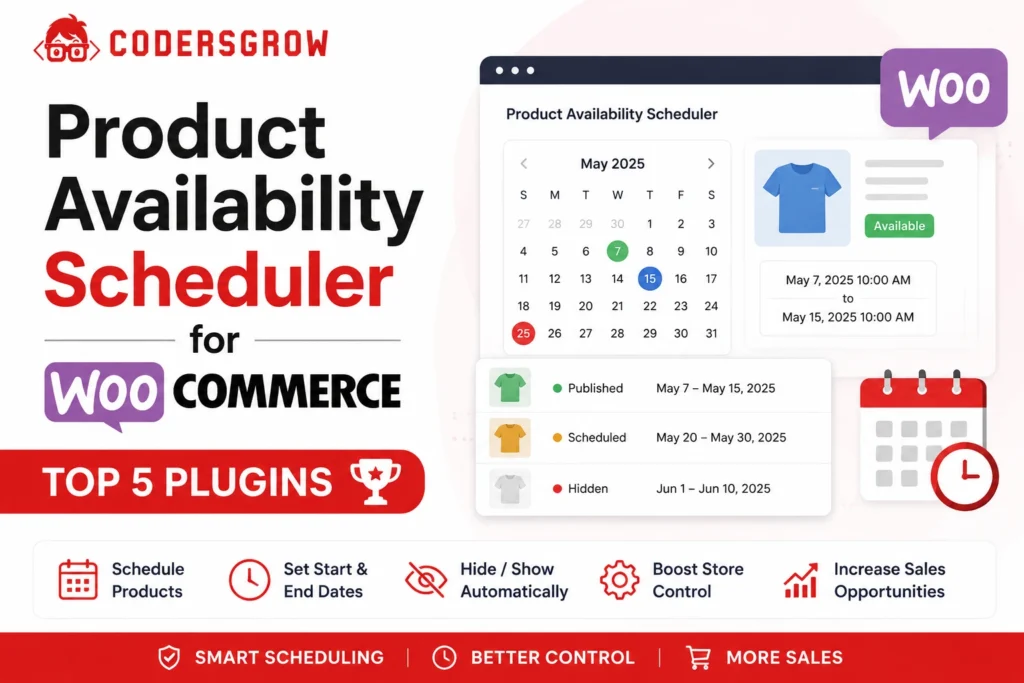
A Product Availability Scheduler for WooCommerce helps store owners control exactly when products can be purchased based on dates, days, time slots, customer roles, and locations. If your store sells seasonal products, accepts orders only during business hours, or needs geo-based restrictions, a Product Availability Scheduler for WooCommerce becomes essential. In this guide, we’ll compare the top 5 Product Availability Scheduler for WooCommerce plugins available in 2026.
A product may only need to be available on weekdays. Other items might need to remain hidden until a specific launch date. In some cases, store owners want products visible only to wholesale customers or need to restrict orders from certain countries.
WooCommerce, on its own, doesn’t handle any of this. The core platform is built for straightforward “always available or out of stock” selling. The moment your business needs when, where, or who logic, you need a dedicated plugin.
That’s where product availability scheduler plugins come in. They sit on top of WooCommerce and add the scheduling layer that real businesses — restaurants, grocery stores, wholesalers, seasonal sellers, and membership shops — actually need.
In this guide, we’ll walk through the five most capable product availability scheduler plugins for WooCommerce in 2026, what to look for before you buy one, and a transparent, feature-by-feature comparison so you can pick the right fit for your store.
Why You Need a Product Availability Scheduler
Picture a bakery that only takes pickup orders Tuesday through Saturday. Or a wine shop that legally cannot sell to customers in certain states. Or a wholesale supplier that wants its best pricing visible only to verified business accounts.
Without a scheduling plugin, store owners are left doing this manually — logging in every morning to toggle stock status, manually hiding products, or worse, taking orders they can’t actually fulfill. That’s not just tedious. It leads to refunds, unhappy customers, and wasted staff time.
A good availability plugin automates all of it. Set the rules once, and WooCommerce handles the rest — showing the right products, to the right customers, at the right time.
Common Problems Solved by a Product Availability Scheduler
Out of the box, WooCommerce gives you exactly two states for a product: in stock or out of stock. There’s no native way to:
- Restrict purchases to certain days or hours
- Show a product only during a date range
- Block customers by country, state, or user role
- Display a countdown until a product becomes available
- Apply different rules to different categories at once
Store owners often try to patch this together with manual stock toggling or generic scheduling plugins not built for WooCommerce specifically. That usually breaks down fast once a catalog grows past a handful of products.
What to Look for in a Product Availability Scheduler
Before comparing specific plugins, it helps to know which features actually matter for your use case. Here’s what separates a basic scheduler from one that can handle a real, growing store.
Date scheduling. The ability to set start and end dates for when a product can be purchased — useful for seasonal items, pre-orders, and limited drops.
Day scheduling. Restricting purchases to specific days of the week, like a bakery that only delivers Tuesday through Saturday.
Time-based restrictions. Setting exact hours products can be bought — critical for restaurants and food delivery businesses with kitchen hours.
Geo-location restrictions. Blocking or allowing purchases based on the customer’s country or state. This matters for regulated products and shipping limitations.
User role restrictions. Showing or hiding products based on whether someone is a guest, registered customer, wholesaler, or another custom role.
Category-level rules. Applying one schedule to an entire product category instead of configuring every item one by one.
Product-level rules. The ability to override global or category rules for a single product when it needs special treatment.
Countdown timers. A visual cue showing customers exactly when a product will become available, which helps reduce abandoned visits and builds anticipation.
Holiday management. Blocking specific dates (like public holidays) without having to rebuild your entire schedule.
Bulk rule management. Applying the same rule to dozens or hundreds of products at once, rather than editing each individually.
Keep this list in mind as we go through each plugin — not every tool below covers all ten areas, and that’s normal. The right plugin depends on which of these features your business actually needs.
Top 5 Product Availability Scheduler Plugins for WooCommerce
Product Availability Scheduler for WooCommerce (CodersGrow)
CG Product Availability Scheduler is built around a simple idea: most WooCommerce stores need more than just “available” or “not available.” They need rules based on day, time, location, and who’s shopping — often all at once.
The plugin organizes its rule system around four layers: global rules, category rules, product rules, and exception dates. Product-level rules override category rules, and category rules override global rules, so you can set a broad default for your whole store and then carve out exceptions exactly where you need them.
Global day and time rules. You can block or allow purchases storewide based on day of the week or time range — for example, blocking all weekend orders if your warehouse doesn’t ship on Saturdays.
Day-wise time slot rules. This is one of the plugin’s more advanced features. Instead of one blanket time window, you can set a different time range for each day — Monday open 9 AM to 5 PM, Saturday open 11 AM to 9 PM, Sunday closed entirely. For a restaurant or café with different hours throughout the week, this removes a lot of manual workaround.
Product and category-level scheduling. Apply a rule to an entire category (say, “Seasonal Items”) and then override it for one specific product without disturbing the rest of the category.
Holiday and exception dates. You can add block dates for holidays and separately add exception dates where you want to allow purchases that would otherwise be blocked by a standing rule.
Start and end dates for rules. Every rule type — global, product, category, geo, or role-based — can now be scoped to a date range, which is useful for seasonal sales, limited-time access, or temporary restrictions tied to an event.
Geo-location rules. You can block or allow purchases by country, and go a level deeper to restrict by state or region within a country. Each geo rule can show its own custom restriction message, so customers in a blocked region see an explanation rather than a generic error.
User role restrictions. Since WooCommerce sits on top of WordPress, the plugin taps into WordPress’s existing role system. You can allow a product for wholesale or subscriber roles while blocking it for guests, and show different messages depending on whether someone is logged in.
Add-to-cart control with custom messaging. When a product isn’t currently available, you can hide or disable the Add to Cart button and show a message that pulls in dynamic placeholders like {allowed_days}, so customers immediately know when they can come back.
Countdown timer and shortcode. A built-in countdown shows customers when a product will next become available. The [daycart_next_available] shortcode lets you place that countdown anywhere in your theme.
Calendar view. A visual calendar inside the WordPress admin shows the availability rules, holidays, and exceptions for a product at a glance, which is genuinely helpful once you’re juggling more than a few rules.
Bulk rule application. You can apply common presets — Global, Weekdays Only, Weekends Only — to multiple products at once rather than configuring them one at a time.
Pros
- Strong combination of geo-location and user-role targeting in one plugin, which is uncommon at this price point
- Day-wise time slots let you set a genuinely different schedule for each day of the week
- Rule hierarchy (global → category → product) keeps configuration manageable on larger catalogs
- Calendar view makes holiday and exception planning easier to visualize
- Passed WooCommerce Marketplace’s security and compatibility checks
Cons
- New to the market with no published customer reviews yet, so there’s less third-party track record than more established competitors
- Doesn’t include slot-based stock limits (capping how many units can sell within a single time slot) the way some competitors do
- No built-in email waitlist or “notify me” capture form — geo and role-based messaging is on-page only
- Single-developer marketplace listing, so support capacity is less proven at scale than vendors with longer histories
Best For: Stores that need day-of-week-specific hours (restaurants, food delivery, local pickup businesses) combined with geo-location or wholesale-role restrictions — for example, a wholesale food supplier that ships only to certain states and wants different hours each day.
Pricing: $29/year (1-year plan) or $46.40 for two years (20% savings on the 2-year plan).
Demo Link: View the live demo
WooCommerce Marketplace Link: CG Product Availability Scheduler on WooCommerce.com
Product Availability Slots for WooCommerce (Flintop)
Product Availability Slots is one of the more mature and feature-dense plugins in this category, and it’s worth taking seriously as an alternative — particularly for stores that need fine control over time-slot inventory.
Overview: Built by Flintop, this plugin focuses on selling products within fixed time slots — useful for food ordering, event registration, and flash-sale style releases where you want multiple distinct windows per day.
Main features:
- Date ranges, recurring weekly schedules, and multiple time slots per day, with intervals as granular as 15 minutes
- Slot-based stock limits, so you can cap how many units sell within a specific time window and prevent overselling
- Buffer time that gives shoppers extra minutes to finish checkout after a slot technically closes
- User and user-role restrictions, configurable globally or per product
- Days-off and blackout date configuration per product
- Bulk availability updates with product and category filters
- Multiple countdown timer styles and storewide closure messaging
- Works with both simple and variable products, and is compatible with WooCommerce Subscriptions
Pros
- Slot-based stock limits and buffer time are genuinely distinctive features not commonly found elsewhere
- Established track record: 300+ active installs and a 4.7-star rating across six reviews
- Quick Setup and Advanced Setup modes give flexibility for both simple and complex configurations
- High-performance order storage (HPOS) compatible
Cons
- No geo-location (country/state) restriction features
- At $49/year, it’s priced noticeably higher than CG Product Availability Scheduler
- Heavier feature set means a steeper learning curve for stores that only need simple day/time rules
Pricing: $49/year, or $78.40 for two years.
Best For: Businesses selling within tightly defined, inventory-limited time windows — think bakeries with two pickup days a week, ticketed slots, or flash-release drops.
Availability Scheduler for WooCommerce (HighAddons)
Overview: This plugin centers on scheduling a sale window and notifying customers automatically as that window opens, making it more marketing-and-launch focused than rule-heavy.
Main features:
- Schedule availability by date and time range, down to the second
- Countdown timers on single product, shop, and archive pages
- Email opt-in so shoppers can be notified when a product becomes available
- Automatic email reminders sent one day or one week before a product goes live
- Scheduling at the global, category, or individual product level
Pros
- Simple, focused feature set that’s easy for non-technical store owners to configure
- Built-in email notification system for upcoming product launches
- Strong customer reviews: five reviews, all five stars, frequently praising support responsiveness
Cons
- No geo-location or user-role restriction options
- No day-of-week scheduling (Monday-only, weekends-only, etc.) — it’s built around date/time ranges rather than recurring weekly patterns
- Smaller install base (200+) than some competitors
Pricing: $49/year, or $78.40 for two years.
Best For: Product launches and drops where building anticipation through email notifications matters more than complex recurring schedules.
WPC Product Timer for WooCommerce
Overview: WPC Product Timer takes a parameter-driven approach, letting store owners stack up to 15 date and time conditions per product to control visibility, stock status, and even pricing windows.
Main features:
- Time-based conditional logic with recurring periods, combining up to 15 conditions per product
- Adjustable parameters covering visibility, stock status, and availability simultaneously
- Separate time ranges for regular pricing and sale pricing
- A Global Timer option to apply one time condition across multiple products or categories at once
Pros
- Recurring time conditions are useful for businesses with repeating daily or weekly deals
- Combining pricing windows with availability in the same rule set is a convenient time-saver
- Listed on WordPress.org, making it accessible without a separate marketplace purchase for the free tier
Cons
- No native geo-location or user-role restriction features
- Configuration with up to 15 stacked conditions can get complex for stores without technical comfort
- Less suited to businesses needing simple, one-glance scheduling
Pricing: Free core plugin on WordPress.org, with premium tiers for advanced features (check current WPC pricing pages for exact figures, as premium pricing structures are subject to change).
Best For: Restaurants or shops offering recurring, time-bound deals — like a lunch special only available 11 AM–2 PM — where pricing and availability need to move together.
WooCommerce Product Scheduler by Plugiton
Overview: This CodeCanyon-listed plugin gives store owners direct control over sale windows, with the option to apply one global time limit across the whole store or set individual limits per product.
Main features:
- Storewide or per-product time limits for when items can be sold
- A countdown clock communicating availability to shoppers
- Automatic hiding of products once their availability window closes
- Personalized notification text per product
Pros
- Simple to configure for stores that just need a single sales window per product or storewide
- Useful for limited-edition or handmade goods with a hard cutoff date
- One-time purchase model typical of CodeCanyon listings, rather than a recurring subscription
Cons
- No category-level rules, geo-location restrictions, or user-role targeting
- CodeCanyon plugins typically come with more limited, ticket-based support compared to WooCommerce Marketplace extensions
- Fewer ongoing update guarantees than marketplace-listed alternatives
Pricing: One-time purchase, typically in the $15–$25 range on CodeCanyon (confirm current pricing on the listing page, as CodeCanyon pricing can change).
Best For: Sellers of limited-edition or handmade products who need a straightforward one-time-purchase scheduler without ongoing subscription costs.
Feature Comparison Table
| Feature | CG Product Availability Scheduler | Product Availability Slots (Flintop) | Availability Scheduler (HighAddons) | WPC Product Timer | WooCommerce Product Scheduler (Plugiton) |
|---|---|---|---|---|---|
| Date Scheduling | Yes | Yes | Yes | Yes | Yes |
| Day-of-Week Scheduling | Yes (day-wise time slots) | Yes | No | Yes (recurring) | Limited |
| Time-Based Restrictions | Yes | Yes | Yes | Yes | Yes |
| Geo-Location Restrictions | Yes (country & state) | No | No | No | No |
| User Role Rules | Yes | Yes | No | No | No |
| Countdown Timer | Yes | Yes (multiple styles) | Yes | No | Yes |
| Holiday / Exception Dates | Yes | Yes (days off) | No | No | No |
| Category-Level Rules | Yes | Limited | Yes | Yes (Global Timer) | No |
| Product-Level Rules | Yes | Yes | Yes | Yes | Yes |
| Slot-Based Stock Limits | No | Yes | No | No | No |
| Bulk Actions | Yes (presets) | Yes | No | No | No |
| Custom Messages | Yes | Yes | Yes | Limited | Yes |
| WooCommerce Marketplace Listed | Yes | Yes | Yes | No (WordPress.org) | No (CodeCanyon) |
| Starting Price | $29/yr | $49/yr | $49/yr | Free / premium tiers | One-time, ~$15–25 |
This table reflects publicly listed features as of writing. Plugin capabilities change with updates, so always check the current product page before purchasing.
Why Geo-Location and Role-Based Rules Matter More Than They Used To
It’s worth zooming in on two features — geo-location restrictions and user-role rules — because they solve problems that are becoming more common, not less.
Cross-border selling has made country and state-level restrictions a practical necessity for a growing number of stores: age-restricted goods, products with shipping limitations, or items only licensed for sale in certain regions. Among the five plugins compared here, CG Product Availability Scheduler is currently the only one offering both country and state-level geo-restriction alongside its scheduling rules.
Similarly, the rise of wholesale and B2B selling through WooCommerce means user-role targeting isn’t a niche feature anymore. Being able to show a product to a “Wholesale” role while hiding it from guests, and pairing that with day/time rules, lets one store run retail and wholesale logic side by side without separate sites or plugins.
That combination — geo rules and role rules layered onto day/time scheduling — is the main thing that sets CG Product Availability Scheduler apart in this list. If your store doesn’t need geo or role restrictions, a competitor like Product Availability Slots may serve you just as well, particularly if slot-based stock limits matter more to your workflow.
FAQ
What is a WooCommerce product availability scheduler? It’s a plugin that lets store owners control exactly when, where, and to whom a product can be sold — based on dates, days of the week, time windows, customer location, or user role — rather than relying on WooCommerce’s basic in-stock/out-of-stock status.
How do I schedule product availability in WooCommerce? You install a dedicated scheduling plugin, then set rules at the global, category, or product level specifying which dates, days, or times a product can be purchased. Most plugins, including CG Product Availability Scheduler, let you layer product-specific rules on top of broader category or store-wide defaults.
Can I restrict WooCommerce products by time? Yes. Most plugins in this category, including all five covered here, support time-based restrictions, letting you set exact hours during which a product can be added to the cart.
Can I block products for specific countries? Yes, but not with every plugin. Geo-location restriction by country (and in some cases by state) is available in CG Product Availability Scheduler. It’s not a feature found in all competing plugins, so check carefully if this is a requirement for your store.
Can I show a countdown timer until product availability? Yes. Countdown timers are one of the most common features across this category — CG Product Availability Scheduler, Product Availability Slots, Availability Scheduler, and WooCommerce Product Scheduler all include one in some form.
Can I schedule products by user role? Yes, with plugins that support role-based rules. CG Product Availability Scheduler and Product Availability Slots both let you allow or block products by WordPress/WooCommerce user role, which is useful for wholesale-only or members-only products.
Do I need coding skills to set up an availability scheduler? No. All five plugins covered in this guide are designed for configuration through the WordPress admin dashboard, with no code required for standard use cases.
Can I apply different rules to different product categories? Yes, in most of these plugins. Category-level rules let you set one schedule for an entire category and override it for individual products when needed.
What happens if I set both a global rule and a product-specific rule? In plugins with a rule hierarchy, like CG Product Availability Scheduler, product-level rules take priority over category and global rules. This lets you set a broad default and carve out exceptions without rebuilding your whole configuration.
Are these plugins compatible with variable products (different sizes, colors, etc.)? Support varies. Product Availability Slots explicitly supports variation-level configuration. Check each plugin’s documentation if your store relies heavily on product variations, since support for this can differ by plugin.
Conclusion
WooCommerce’s default stock settings work fine for simple stores, but the moment your business needs day-of-week hours, date-limited drops, country restrictions, or wholesale-only visibility, you need a dedicated availability scheduler.
Each plugin in this list has a clear niche: Product Availability Slots excels at slot-based stock control, Availability Scheduler is strong for launch-day email anticipation, WPC Product Timer suits recurring time-bound deals, and WooCommerce Product Scheduler fits simple one-time releases.
For stores that need day-specific hours combined with geo-location or wholesale role restrictions — a combination increasingly common for food businesses, regional sellers, and B2B-facing shops — CG Product Availability Scheduler for WooCommerce is currently the most complete option among the plugins compared here, particularly given its $29/year starting price relative to the $49/year competitors offering a narrower feature set.
If you’re not sure it fits your specific setup, the best next step is to try the live demo and see the rule builder for yourself.
View Demo: https://wpdemo.codersgrow.in/product-availability-scheduler-for-woocommerce/
Buy Now: https://woocommerce.com/products/cg-product-availability-scheduler-for-woocommerce/
Read Full Guide: https://codersgrow.com/woocommerce-product-availability-scheduler/